Canada Passport Photo Size
Applying for a Canadian passport or visa? This guide explains the official photo size requirements for Canadian passports, visas, and Permanent Resident (PR) cards, including the dimensions, formatting rules, and submission requirements you need to follow.
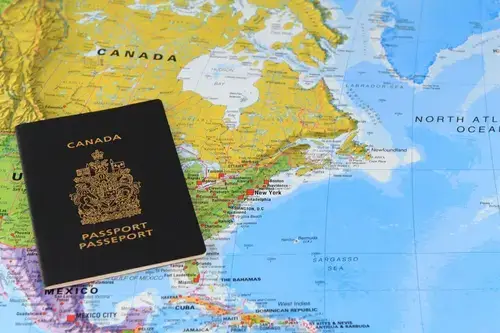
You'll also learn the differences between passport, visa, and PR card photo specifications, as well as how to crop and resize a photo correctly from home before submitting your application.
Table of contents
- Canada Passport Photo Size in CM
- Canada Digital Passport Photo Size for Online Submission
- Canada Visa Photo Size
- Canada IRCC Photo Format & Permanent Resident Card Photo Size
- Canada Passport Photo Measurements
- Get the Canada Passort Size Photo Online
- How To Correctly Crop A Photo To The Canadian Passport Picture Size On Your Own
- What Size Of Paper Should You Use For Printing Your Passport Photos?
- Where Can I Get Help With my Canada Passport Photo?
Canada Passport Photo Size in CM
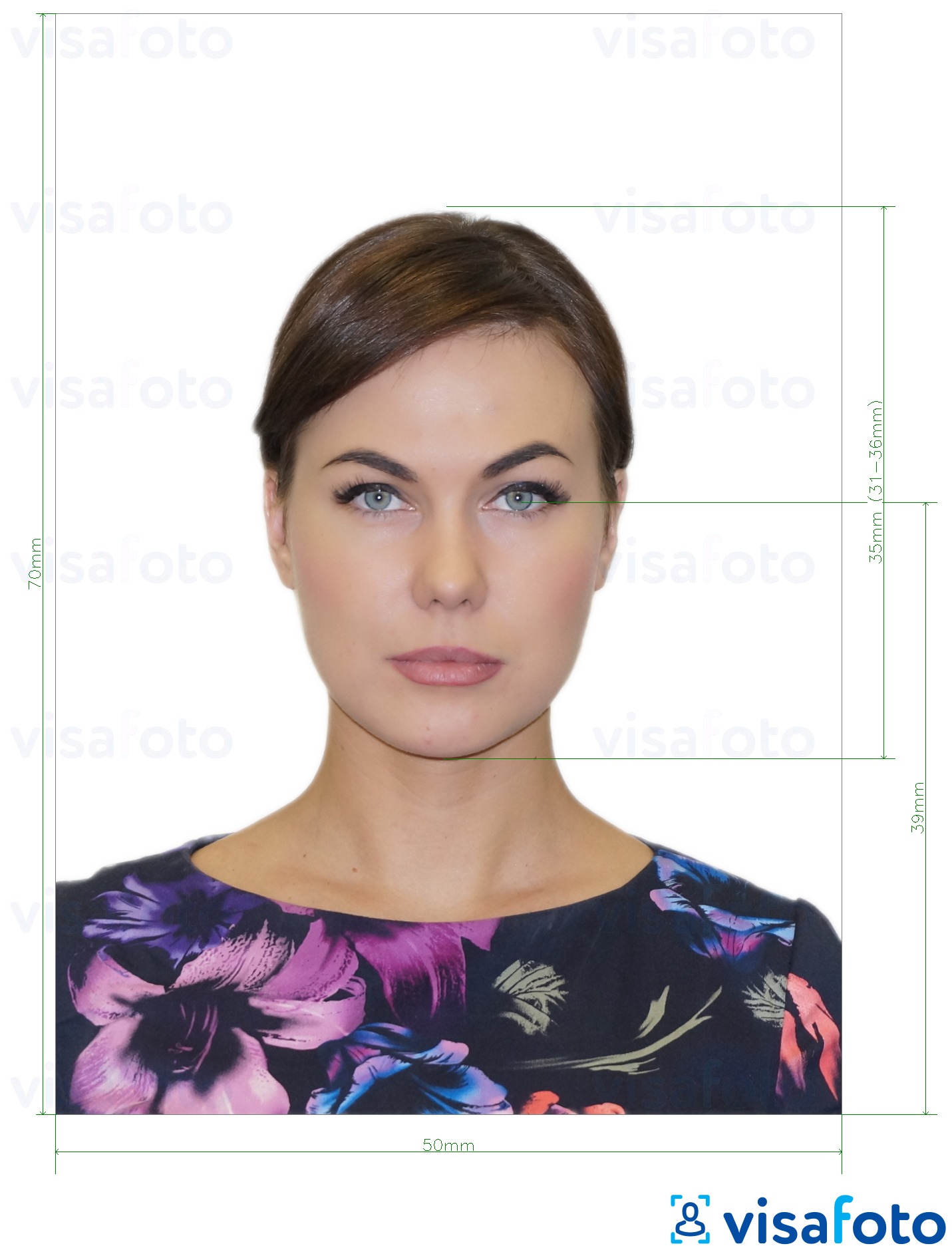
The official Canadian passport photo format is 50 × 70 mm (5 × 7 cm, or 2 × 2¾ inches). The height of the head, measured from the chin to the crown, must be between 31 mm and 36 mm. The background must be plain white or light-coloured and provide a clear contrast with the face.
The Government of Canada does not specify a required DPI for passport photos. However, professional photo labs commonly print passport photos at approximately 300 ppi to ensure high-quality results.
Here is an example:
Canada Digital Passport Photo Size for Online Submission
If you renew your Canadian passport online, you must upload a digital photo instead of submitting printed passport photos. The digital image must be provided as a JPEG or JPG file and must come directly from the original camera photo rather than from a scanned print.
The digital passport photo must meet the following requirements:
- Image size: from 1200 × 1800 px to 3000 × 4500 px;
- Aspect ratio: 3:2;
- File size: between 200 KB and 5 MB;
- Head height: approximately 45–50% of the image height;
- Colour or black-and-white photos are accepted.
The photo must accurately represent your current appearance and must not be digitally altered. The Government of Canada does not accept beauty retouching, filters, AI-generated edits, or other image enhancements.
Even though the submission is digital, the same rules for facial expression, lighting, background, and photo quality apply as for printed Canadian passport photos. You must look directly at the camera with a neutral expression, your eyes must be clearly visible, and there must be no shadows, glare, or reflections in the image.
Canadian Visa Photo Size
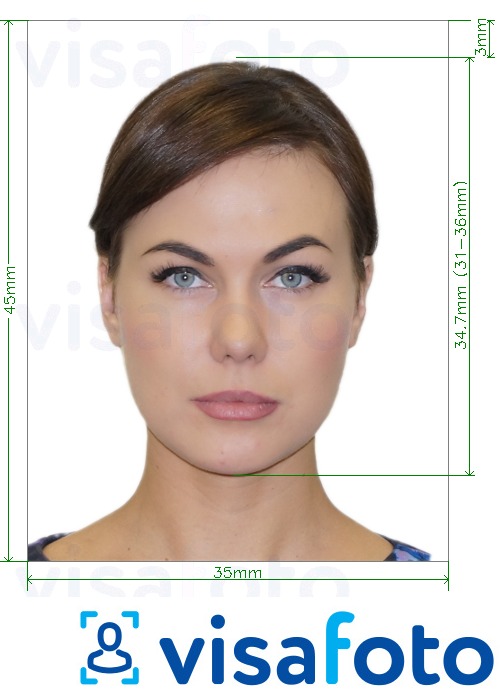
The required Canadian visa photo format is 35 × 45 mm (3.5 × 4.5 cm, or 1⅜ × 1¾ inches). You must submit two identical printed photos with your Canadian visa application.
If you are applying online, you can upload a digital photo through the Government of Canada website.
Here is an example:
Canada IRCC Photo Format & Permanent Resident Card Photo Size
Permanent Resident (PR) card photos follow the same physical dimensions as Canadian passport photos. Printed photos must be 50 × 70 mm (5 × 7 cm or 2 × 2¾ inches), with the head measuring between 31 mm and 36 mm from the chin to the crown. The background must be plain white or light-coloured, and the photo must be clear, in focus, and free from shadows or glare.
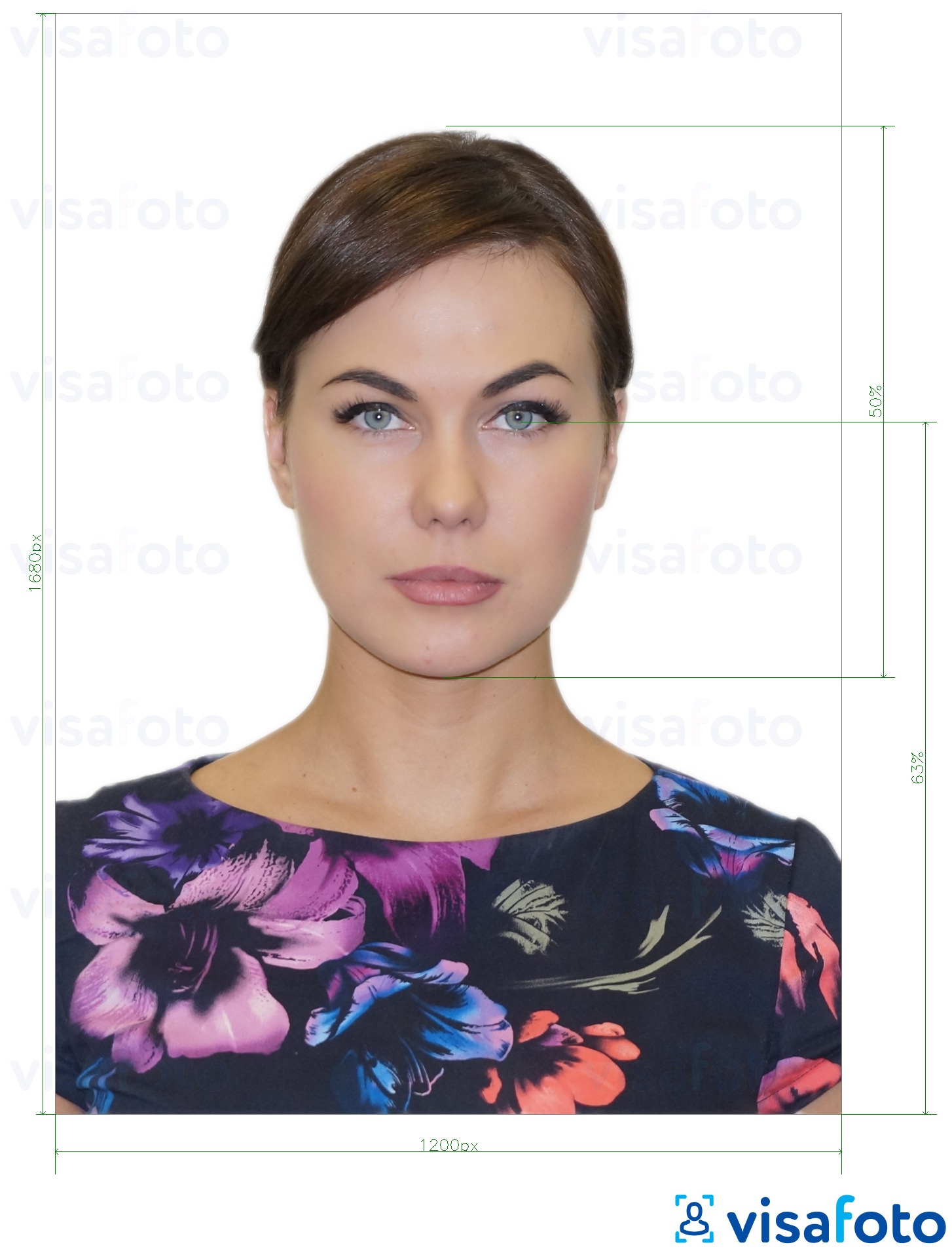
For online PR card applications submitted through IRCC, the digital photo must be 1680 × 1200 pixels. The image must be in JPEG format, uploaded directly from the original digital photo, and must accurately represent your current appearance without filters, retouching, or other alterations.
As with passport photos, you must face the camera directly with a neutral expression, your eyes must be open and clearly visible, and your mouth must be closed. Both colour and black-and-white photos are accepted.
Photos that are blurry, overexposed, digitally modified, poorly cropped, or do not meet the required head size specifications may result in delays or rejection of the application.
Here is a sample of a photo suitable for online submission:
Canadian Passport Photo Measurements
Besides the overall photo size, Canadian passport photos must also meet specific facial measurement requirements. The head size, measured from the chin to the natural top of the head (crown), must be between 31 mm and 36 mm. Both the face and shoulders should be centred in the frame and square to the camera.
The Government of Canada does not publish an official eye-line measurement for passport photos. Instead, the requirements state that your eyes must be open, clearly visible, and looking directly at the camera.
For printed passport photos, the final image size must be 50 × 70 mm. For online passport renewal, the digital photo must maintain a 3:2 aspect ratio, with the head occupying approximately 45–50% of the image height.
Incorrect head size is one of the most common reasons passport photos are rejected. Before submitting your application, make sure the photo has been cropped according to the official Canadian specifications.
Get the Canada Passort Size Photo Online
The easiest way to quickly resize and prepare a photo for your passport application is to use our convenient online tool. Visafoto.com automatically adjusts the image to the correct Canadian passport photo size and also checks key biometric parameters such as head position, eye line, and centring.
In addition to cropping and resizing, the system automatically replaces the background with a plain white one, improves lighting, and enhances image clarity so the photo meets official requirements.
Even scanned or lower-quality photos can be processed and improved to meet standard passport requirements where possible.
The service generates both a digital photo for online Canadian passport applications and a correctly formatted version for printing, so you can use the same result for different submission types.
Source

Result
Study this guide if you want to print your Canadian passport photo.
Use Visafoto to convert your image into a compliant Canadian passport or visa photo, or select the required format from the list of specifications.
First, take a selfie in good natural daylight like this one:
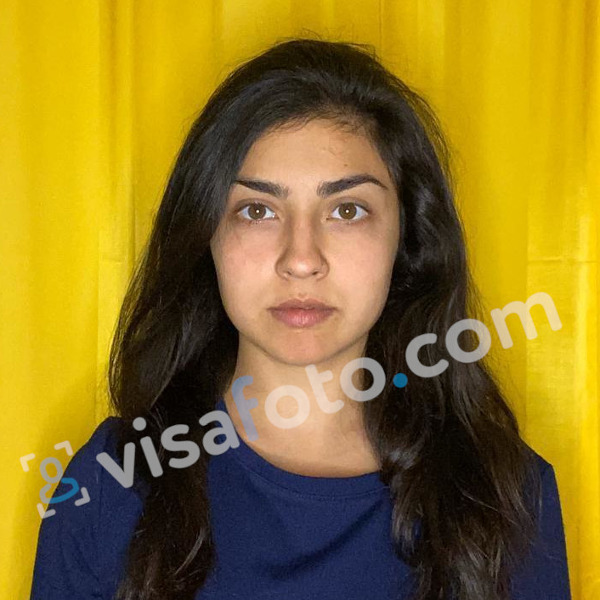
Then resize it and get Canadian passport photos like these:
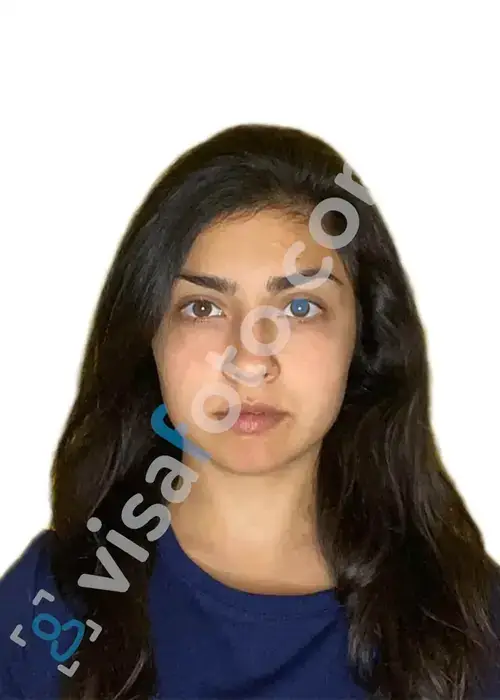
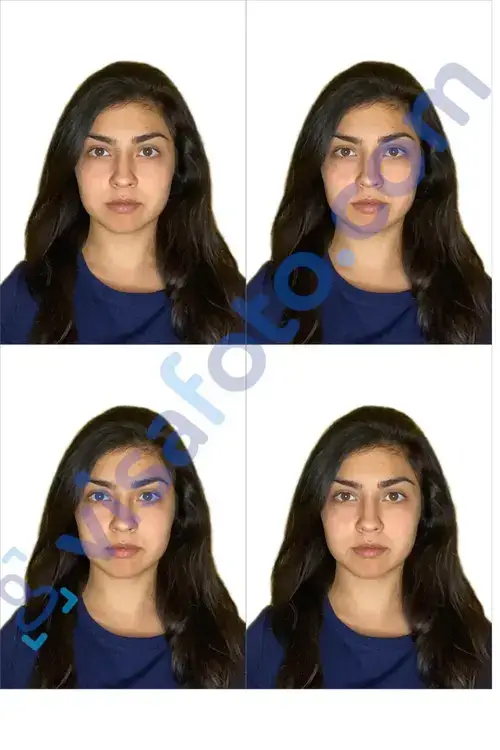
How To Correctly Crop A Photo To The Canadian Passport Picture Size On Your Own
As already mentioned, you can adjust the correct size for your Canadian passport photo using Visafoto in seconds. Crop the photo yourself in a digital photo editor, in case the simplest method is not for you.
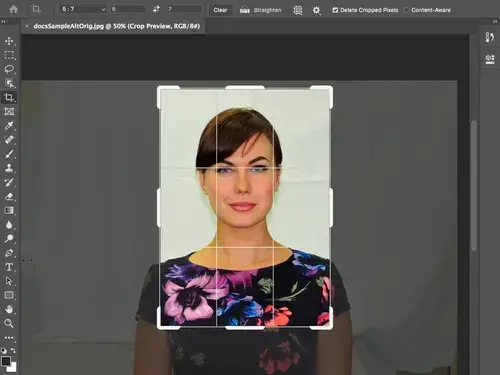
Here's a sample of how to adjust the size of a Canadian passport photo in Photoshop:
- First, open Photoshop and choose the picture using the "Browse" option;
- Click the Crop tool at the left toolbar;
- Position the crop selector so that the face remains in the center. The image should include upper torso;
- Find the Ratio field in the top. Set the required aspect ratio: 5 wide and 7 high;
- Press Enter. Your Canadian passport photo is successfully cropped!
To prepare the file for printing, head to the Image section above. Click Image size and set the width and height: 5 x 7 cm. Set the resolution of 600 DPI.
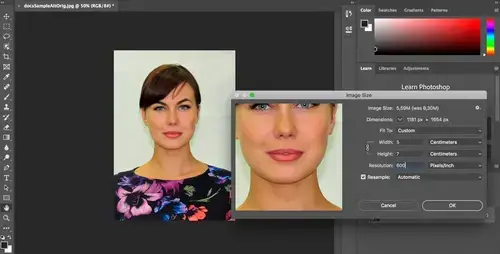
Please note that you should consider not only the size of your Canadian passport photo, but other characteristics such as head height and position, and eye position as well.
What Size Of Paper Should You Use For Printing Your Passport Photos?
If you are renewing your Canadian passport online, you do not need to print the photo. You submit the required digital file as part of your online application.
If you are applying for a Canadian passport by mail or in person, you need two identical printed photos. Visafoto provides a ready-to-use print template designed specifically for passport photo printing. On a single 10 × 15 cm (4 × 6 inch) photo sheet, you can fit Canadian passport photos sized 50 × 70 mm or other photo layouts, depending on the selected format.
The template is optimized to help you save paper and produce correctly sized prints without manual cropping. It ensures proper spacing between photos so that each image can be cut cleanly and accurately.
For best results, print the final layout on glossy or matte photo paper with a minimum weight of 200–260 gsm. This helps maintain sharpness, correct colour balance, and professional-quality output suitable for submission.
For printing Canadian passport photos, it is recommended to use high-quality, thick photo paper to ensure clear image reproduction and durability. Standard inkjet or laser printer paper is not acceptable for official submissions.
Where Can I Get Help With My Canadian Passport Photo?
Visafoto automatically creates a Canadian passport-size photo that meets official requirements for both printed and digital submissions. The service adjusts size, background, lighting, and key biometric parameters such as head position and alignment.
We provide tools designed to produce compliant results, but final acceptance always depends on the reviewing authority.
If you have any questions or need assistance, you can contact our 24/7 customer support.
Last update: September 2026