Singapore Visa Photo Online
Most foreign nationals need a visa to enter Singapore for tourism, business, or other short-term visits. Whether you're applying online or through an authorized visa agent, you'll need to prepare several documents, including a compliant digital passport photo.
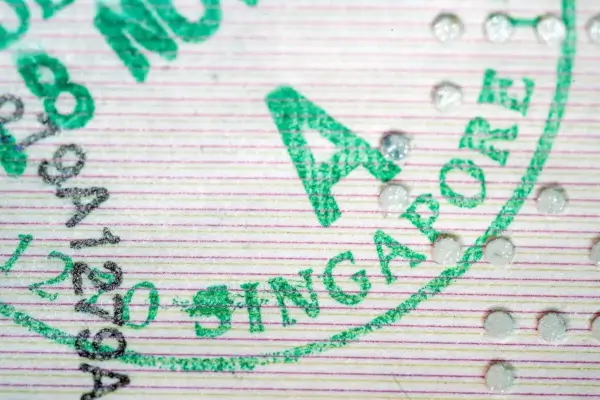
This guide explains the official Singapore visa photo requirements, including the correct size, background, and technical specifications, to help you avoid delays with your application.
Table of contents
- Documents required for Singapore visa application
- How to apply for a Singapore visa online?
- Singapore visa photo requirements
- Can I wear glasses in the Singapore visa photo?
- Singapore visa photo tool
- FAQ
- Links
Documents required for Singapore visa application
To obtain a tourist visa to Singapore, applicants usually need to prepare several documents. The exact requirements may vary depending on your nationality, visa type, and the submission method.
- A completed visa application form or electronic questionnaire.
- A copy of the passport biodata page containing the applicant’s personal details.
- A recent digital photo that meets Singapore visa photo requirements.
- Proof of accommodation in Singapore, such as a hotel booking, if requested.
- Flight reservation details or a confirmed ticket itinerary, if required.
- Proof of sufficient funds, such as bank statements, if requested.
- Supporting documents based on the applicant’s status, such as employment, business, or student documents, where applicable.
- Travel insurance documents, if required for the specific visa type or submission channel.
The list of required documents may differ depending on the visa category, nationality, and place of application.
How to apply for a Singapore visa online?
To submit your documents for a Singapore visa online, follow the steps that apply to your visa type and submission route:
- Check whether you need a visa and choose the appropriate visa type.
- Prepare the required documents, including a passport copy and a digital photo that meets Singapore visa photo requirements.
- Submit your application through the relevant online channel or an authorized visa agent.
- Complete the required information and upload the supporting documents.
- Pay the visa fee online, if applicable.
- Receive the visa approval in the format provided by the issuing authority.
- Present your passport, approved visa (if required), and any necessary arrival documents when entering Singapore.
A Singapore tourist visa is often issued as a multiple-entry visa and may be valid for up to 9 weeks from the date of issue. However, the validity period and permitted length of stay depend on the visa issued and the decision of Singapore immigration authorities at the point of entry. In many cases, tourist stays are granted for up to 30 days.
Singapore visa photo requirements
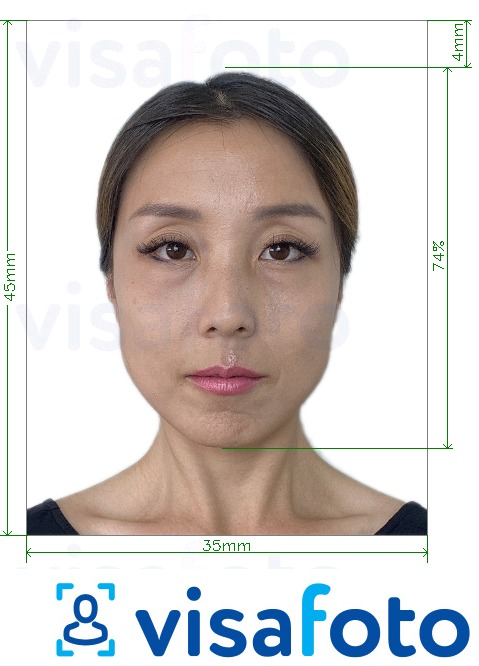
For online Singapore visa applications, applicants must submit a recent color photo that meets the official digital photo requirements. The photo should show the applicant’s full face clearly and follow these guidelines:
- The photo must be in color.
- The background should be plain white.
- The photo must show a full face view with a neutral expression and the mouth closed.
- Facial features must be clearly visible.
- Hair should not cover the eyes or other facial features.
- The face should be positioned in the center of the image.
- The photo must not include headgear unless it is worn for religious or racial customs. In such cases, the headgear must not hide facial features.
Here is an example of a Singapore visa photo:
Can I wear glasses in the Singapore visa photo?
Glasses are generally acceptable if they do not hide the eyes or facial features and do not create glare in the photo. The applicant’s eyes and face must remain clearly visible.
Singapore visa photo tool
What is the easiest way to prepare a photo for a Singapore visa application? Since Singapore visa photo requirements include specific technical details such as image size, format, and background, using a dedicated online photo tool can help you create a compliant photo from home. With Visafoto, you can prepare a Singapore visa photo from anywhere in the world using a smartphone or camera.
Source

Result
Chat with us
Upload a full-face photo taken in normal lighting, and Visafoto will automatically adjust it to match Singapore visa photo requirements. The service resizes the image, replaces the background with plain white, and prepares the correct digital format for online submission.
Visafoto also improves the photo quality automatically within seconds. The enhancement process can include studio-style lighting correction, resolution improvement, including for lower-quality images or scans, and framing adjustments to help create a professional-looking visa photo.
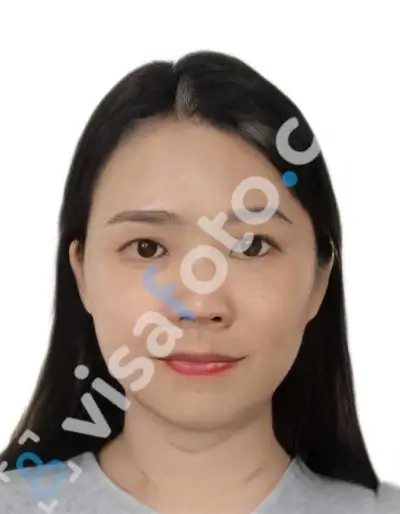
First, take a photo of yourself under daylight or in good lighting, like in this example:

You will receive a digital Singapore visa photo for online applications and a printable template that can be used to create physical copies if needed.
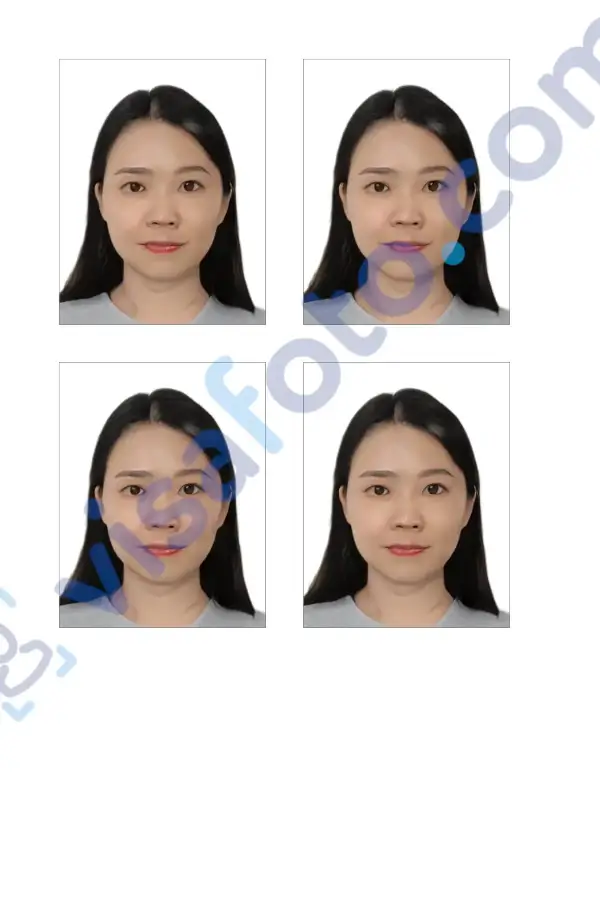
Visafoto has extensive experience preparing visa and passport photos and offers a 100% refund if the photo created with the service is not accepted by a government authority.
FAQ
Do I need to print the Singapore visa photo?
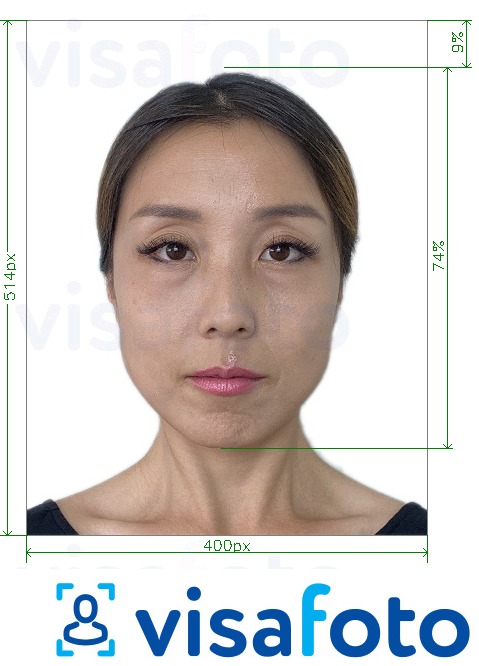
No. For an online Singapore visa application, you generally do not need to print the photo. The photo is submitted as a digital file through the relevant online application channel. It should be in JPEG format, measure 400 × 514 pixels, and have a file size of no more than 60 KB.
Are there any differences in requirements for physical submissions?
Yes. The requirements may differ depending on the submission method. For online Singapore visa applications, the photo is submitted as a digital file in JPEG format with specific size and file requirements. For physical submissions, applicants may need to provide a printed color photo according to the instructions of the relevant visa application channel or authority.
Can I take the visa photo at home?
Yes. You can take a Singapore visa photo at home as long as the image meets the required standards, including the correct size, file format, white background, and clear visibility of facial features.
What happens if my photo is rejected?
If the submitted photo does not meet the required standards, you may need to provide a new photo, which can delay the visa application process. If the rejected photo was purchased at Visafoto, please contact our support for refund.
Last update: July 2026
Links
- Singapore Work Pass (Work Permit) Guidelines: Rules, Photo, Fee
- Singapore Visa for Indian Citizens
- Official information on Singapore visa
- Get a photo for a Singapore visa online application (400x514 pixels)
- Get a photo for a Singapore visa offline applicaion (35x45 mm)
- Singapore passport photo information: requirements, tool
- How to apply for Singaporean citizenship?
- Applying for a Driving License in Singapore