Form DS-260 for DV Lottery Winners
Congratulations! If you read this article, you have probably won the DV Lottery. Your next task is to fill out form DS-260 for your U.S. immigrant visa. Read on to find out how to do it correctly.
Table of contents
- DS-260 filling step-by-step
- DV Lottery & USA visa photo criteria
- Get a photo for your Green Card application or US visa online!
DS-260 filling step-by-step
To apply for an immigrant visa after DV selection, complete the DS-260 form through the Consular Electronic Application Center (CEAC). You may use your browser's translation feature to help understand the instructions, but your answers must be in English using English characters, except where the form specifically instructs otherwise.
Before you begin, find your DV case number in your selection notification in Entrant Status Check. This is different from the confirmation number you received when you submitted your original lottery entry.
Have the following ready to access your DV application:
- Your DV case number;
- The principal applicant's date of birth;
- Internet access.
When completing Form DS-260, do so in sequence. Check the box to confirm your agreement after "I certify that I have read and understand the above. I am now ready to begin the immigrant visa and alien registration application process".
When you fill out the DS-260 form, you must provide your contact information, current and previous addresses, and contact information in the States and where you live in this country. The green card will arrive at that address shortly after you arrive. If you have not yet decided where you want to live, you can give the address of anyone you know in the U.S. You can change this information later, up to the time you enter America.
In the Interview Location field, follow the instructions for your DV program year rather than choosing any city for convenience. The State Department's July 15, 2026 guidance generally requires immigrant visa interviews in the consular district for the applicant's residence or, if requested, in the country of nationality, with limited exceptions. Applicants living where routine visa services are unavailable may have a designated processing post. The guidance says these changes will apply to future DV program years, so check the instructions for your year and contact KCC about your assigned location if necessary.
After completing each page of Form DS-260, save your progress and click Continue. You will have to give information about your education, work experience, previous travels, and family. Please note: When you give your mother's name, you must write her maiden surname.
The form also asks for the social media identifiers you used on the platforms it lists during the preceding five years. Provide all applicable usernames or handles, not passwords. Select "None" only if that accurately answers the question. This request for identifiers does not itself mean that every DV applicant must make every social media account public.
Pay attention to the security and background section. Answer each question truthfully according to its wording, including questions about:
- Communicable diseases of public health significance;
- Vaccination documentation;
- Drug abuse or addiction and physical or mental disorders associated with harmful behavior, as specified in the form.
If asked whether you have documentation of the required vaccinations, answer based on the documentation you actually have. Planning to receive vaccinations later is not the same as already having proof. Bring available vaccination records to the required medical examination; the panel physician will assess which vaccinations or medical exceptions apply.
Do not automatically answer "No" to a medical or drug-related question. Read the exact question and give an accurate answer, including any explanation requested. Having a physical or mental condition alone does not mean that the specific health-related ground of ineligibility applies to you; the legal criteria matter. If you are unsure how a question applies, seek qualified advice rather than guessing.
Please note: Your CEAC session will expire after approximately 20 minutes of inactivity. Click Save regularly and before signing out. Information entered since your last save may be lost. Return to the incomplete application through View/Edit, then select Edit to continue. The official DS-260 FAQs explain saving, language requirements and access to submitted forms.
The final steps are to review your answers, sign and submit your DS-260 form. Make sure all information is accurate and correct so you will not have problems at your interview. On the Sign and Submit page specifically, enter your DV case number without its padding zeros: for example, 2027AF0000012345 becomes 2027AF12345. This instruction applies to that submission field, not automatically to every case-number field you encounter.
After submitting, print the DS-260 confirmation page and bring it to your visa interview. You do not need to print the entire application. If you discover an error after submission, contact KCC or the embassy or consulate handling your DV case for assistance; you cannot simply reopen and edit a submitted form yourself.
Form DS-260 must be completed separately for the principal applicant and each family member applying for a diversity visa. If you married or had a child after submitting your original DV entry, add the eligible new family member to your case and upload evidence of the relationship when requested. Complete a separate DS-260 for that person.
This is different from omitting a spouse or child who should have been listed on your original entry. Such an omission may make you and your family ineligible for diversity visas; adding the person now does not automatically correct the original entry. Follow the official DV application instructions for changes in family circumstances and submission requirements.
DV Lottery & USA visa photo criteria
The initial DV Lottery entry and the immigrant visa interview are different stages with different photo submission requirements. For the DS-260 immigrant visa stage, each applicant must bring two identical printed photographs to the interview. Do not confuse this with the digital photo uploaded when entering the lottery.
The official visa and DV photo requirements specify the following:
- For the original online DV entry, the digital photo must be exactly 600 x 600 pixels, in JPEG format and no larger than 240 KB;
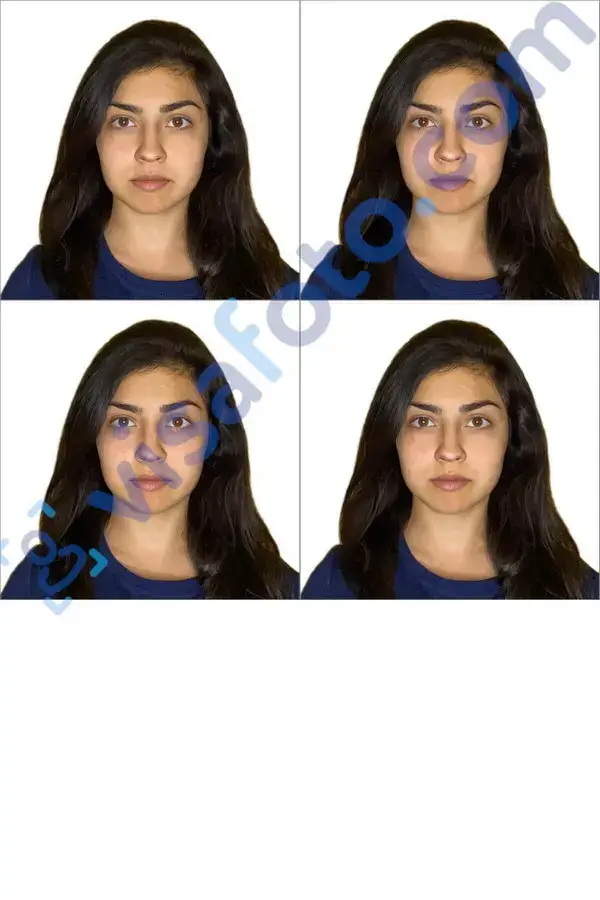
- For the immigrant visa interview, bring two identical photographs printed on photo-quality paper, each measuring 2x2 inches (51 x 51 mm);
- The picture cannot be more than 6 months old. It is best to provide as recent a photo as possible, from which you should be easily identifiable;
- The image must be in color and square;
- For digital images, use the sRGB color space;
- The distance from the bottom of the chin to the top of the head must occupy 50-69% of the image's total height;
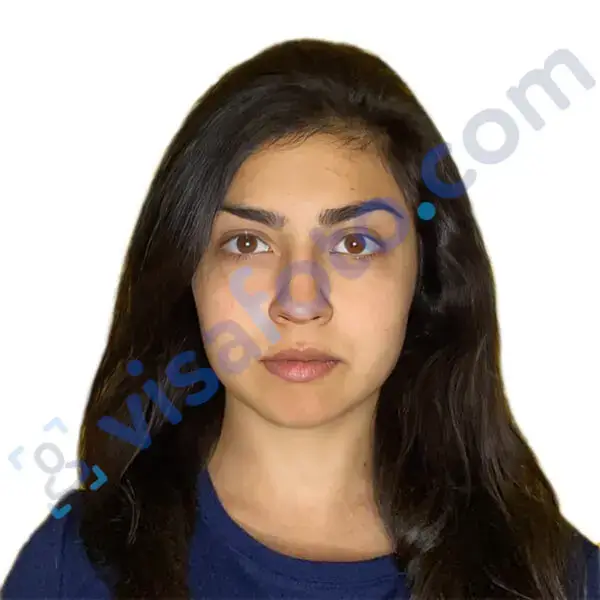
- The finished photograph must have a plain white or off-white background;
- The applicant must look directly into the camera with a neutral expression and both eyes open;
- Wear normal everyday clothing. Uniforms should not be worn, except religious clothing worn daily;
- Glasses are generally prohibited. A rare medical exception requires a signed medical statement, and the eyes must remain clearly visible without glare, obstructing frames or shadows.
Here is an example:

Get a photo for your Green Card application or US visa online!
For your convenience we created the Visafoto service in 2013. The online ID photo editor allows you to process images in accordance with legal requirements. The service is available 24 hours a day, online. All you need is a smartphone and an Internet connection.
Source

Result
Chat with us
Brief guideline:
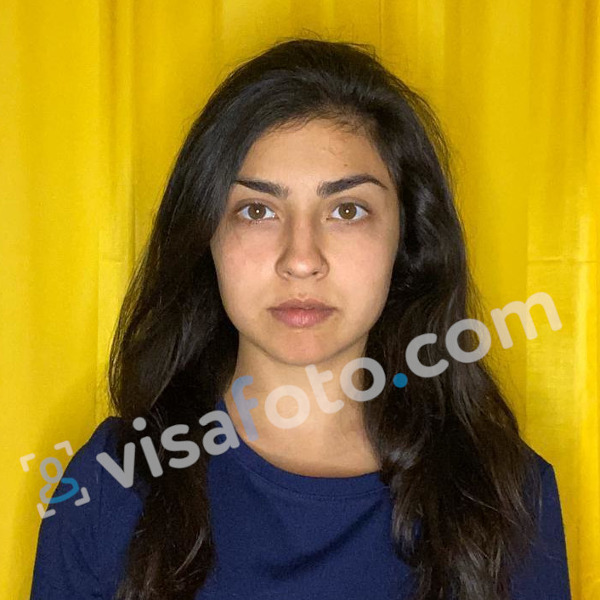
- Take your picture against any background, taking care of the dress code. Don't use a lot of jewelry or bright makeup, and don't wear your hair up high. Make sure your hair does not fall on your face. It is better to be photographed in dark, contrasting with the light background clothing;
- Take a picture with a good resolution camera;
- Upload your Green Card photo to the program;
- Download the finished image that you can use to submit online!
- The acceptance rate for Visafoto images is 99.7%. If there are any problems (which is virtually impossible) we will with a new one or give you your money back.
The original picture:
The pictures you will get:
Good luck completing your DS-260 and moving to the United States!
Last updated: October 21, 2026.