Namibia Visa Photo Online

When applying for a Namibia visa (whether online or at the consulate), it is essential to submit a compliant photo. Read on to find out about the technical requirements and how to take a professional passport-type photo for your Namibia visa application.
Table of contents
- How to apply for a Namibia e-Visa online?
- Namibia visa photo requirements
- Namibia visa photo specifications for in-person application at the consulate
- Online visa photo maker
- How to upload a photo for a Namibia visa application
- Do you need to print out a photo to enter Namibia?
- How to take a correct passport-type photo for a visa application
How to apply for a Namibia e-Visa online?
Applying for a Namibia e-Visa is a fully digital process that you can complete from anywhere with an internet connection. Below, we explain the key steps and required documents to prepare before submitting your application online:
- Visit the Ministry of Home Affairs' e-Services portal.
- Log in, select the appropriate service ("Visa-on-Arrival" for up to 90 days or "Holiday Visa" for up to 3 months if required), and begin a new application.
- Fill out the online form, providing your personal information, passport details, reason for visiting, and contact details within Namibia.
- Prepare and upload the necessary documents, including:
- passport biodata page (valid for at least 6 months with blank pages);
- recent passport-sized photo adhering to ID photo standards;
- proof of accommodation, like a hotel booking or invitation letter;
- return or onward travel ticket;
- evidence of adequate funds, such as a recent bank statement;
- travel medical insurance for the duration of your stay.
- Additional medical reports may be required for stays exceeding 3 months.
- Complete the form, upload the documents, and pay the fee online.
- Once payment is confirmed, your e-Visa will be issued electronically. Download and print the e-Visa document to carry during your travel.
Namibia visa photo requirements
Your visa application will only be accepted if the photo meets Namibia’s official standards. Here you’ll find the essential photo requirements for a Namibian holiday visa or Visa-on-Arrival, covering background, facial expression, head position, and overall photo quality:
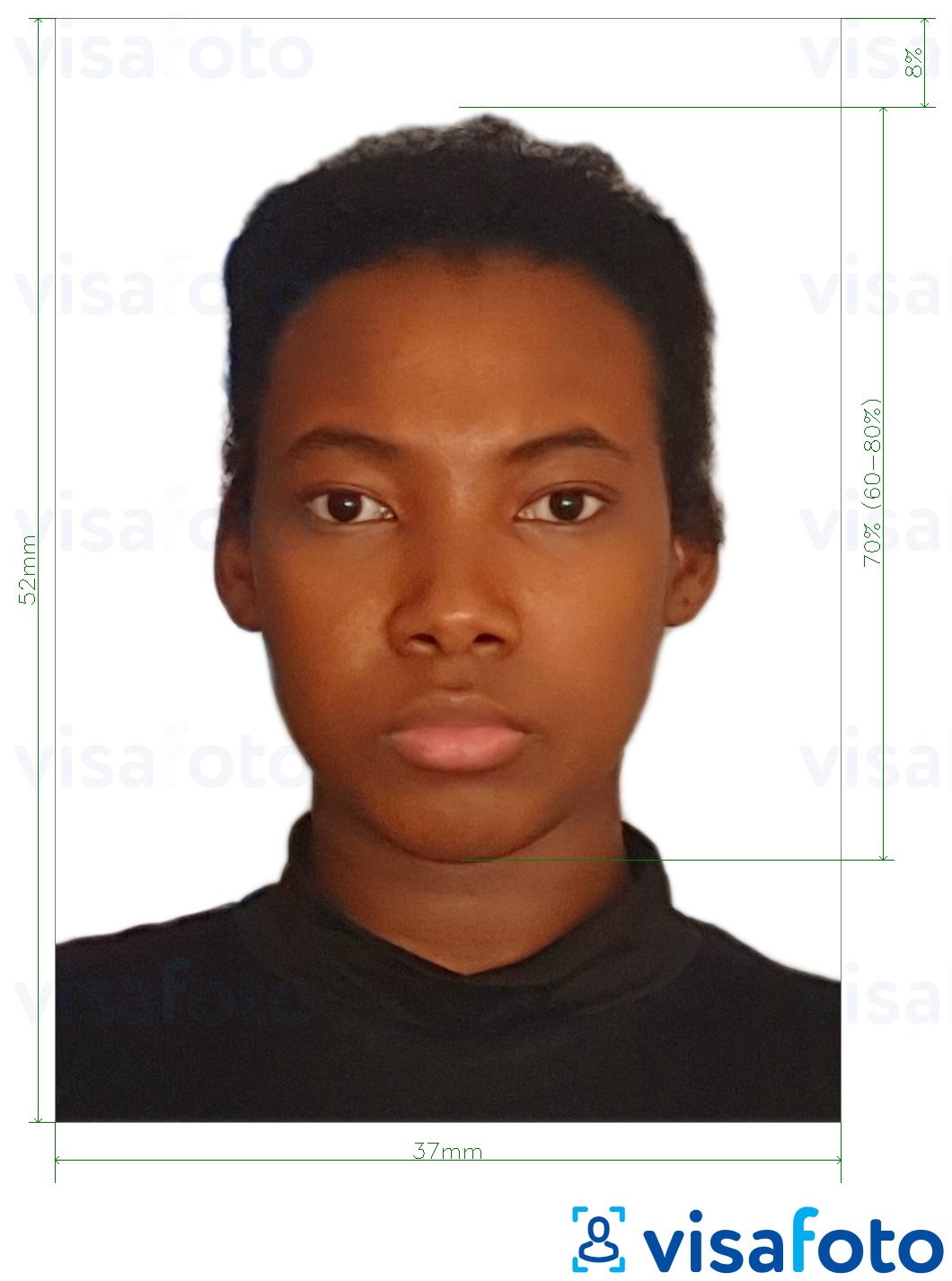
- The Namibia visa photo size must be 3.7×5.2 cm. A 35×45 mm photo is acceptable if applying through a Namibian consulate in Europe.
- For digital submissions, the photo should be 874 × 1228 pixels, with a resolution of 600 DPI, and saved in JPEG format under 300 KB.
- Your head should occupy 70% to 80% of the image, positioned from the bottom of the chin to the top of the head.
- Use a plain white background without patterns, objects, or shadows.
- The photo must have been taken within the last 6 months.
- Face the camera directly with a visible face and neutral expression—do not smile.
- Avoid wearing glasses to keep your face unobstructed.
- Hats are not permitted unless worn for religious reasons.
- For children, ensure the child is alone with a closed mouth and neutral expression; no toys or supporting hands should appear in the frame.
Here is an example of an acceptable photo:
Namibia visa photo specifications for in-person application at the consulate
When applying through a Namibian consulate, photo requirements may differ slightly from online submissions. Below, we explain the main parameters.
Most consulates of Namibia require passport-sized photos measuring 37×52 mm in colour, printed on high-quality photo paper. Some locations, like the Berlin embassy, may specify different dimensions (e.g., 2×2 inches or 51×51 mm), so always follow local consulate instructions.
Typically, your photos should be recent (taken within the last 3-6 months), and you will usually need to submit two colour photos with your paper application. While some consulates accept only one, providing two is commonly requested across various missions. Ensure both photos are identical, and some consulates might require you to write your full name on the back.
Note: Consulates in cities such as London, Delhi, Berlin, and Stockholm issue their individual checklists, which may slightly vary in photo size and quantity. Always consult the latest visa requirements for your specific consulate to ensure compliance.
If the local rules are unclear, prepare two identical 37×52 mm colour photos on glossy photo paper, set against a white background, with a neutral expression, no glasses, and no sleeveless clothing. Bring these to your appointment, along with a digital copy in case a scan or upload is needed.
Online visa photo maker
Enhance your application with a quality Namibia visa photo using Visafoto, a reliable photo editing service. Just follow these two easy steps:
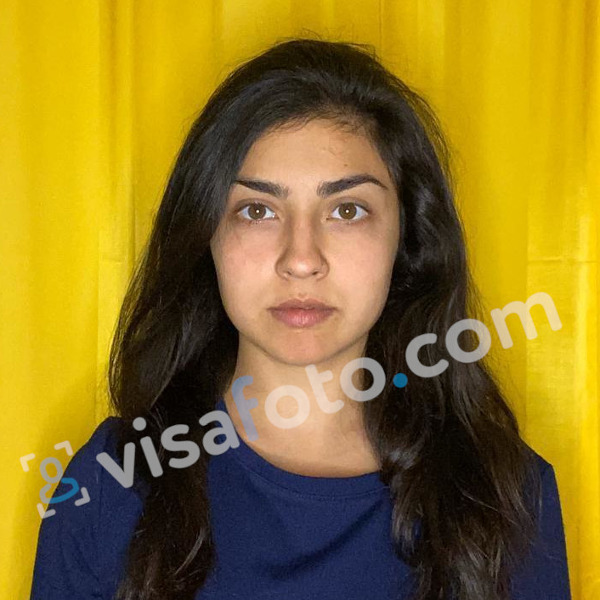
- Upload a photo taken under daylight to the Visafoto tool below.
- Select the country and document type (e.g., Namibia, visa).
That's all! Visafoto will automatically adjust the background, size, and head position to meet official standards. You'll receive a digital copy ideal for online submission and a version ready for printing.
Example photo to upload on Visafoto:
Result by Visafoto
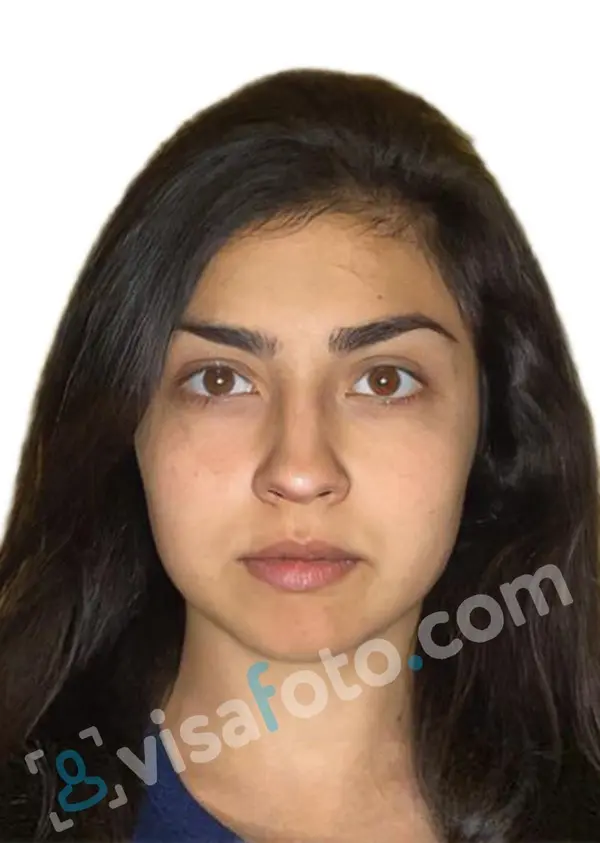
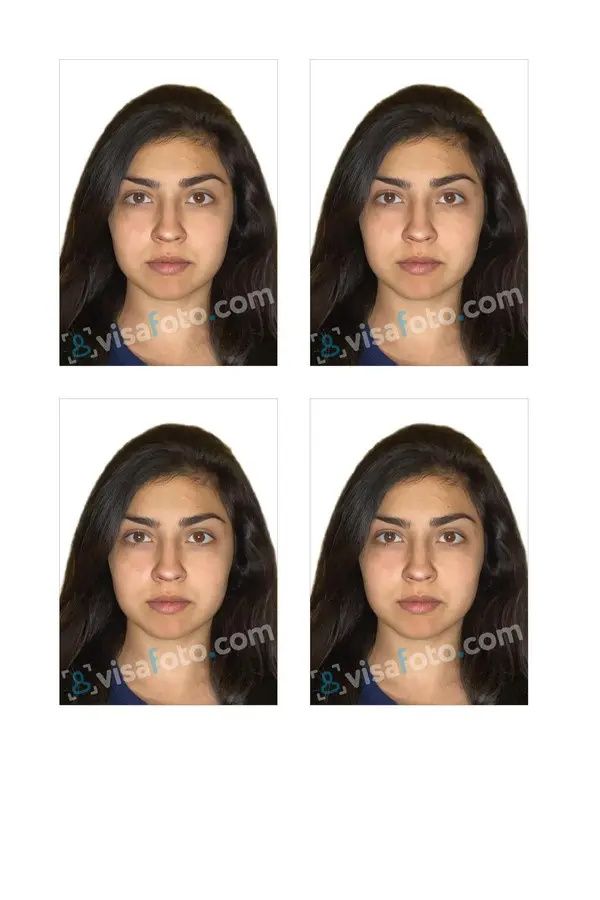
With a 99.7% acceptance rate and more than 1,000,000 photos accepted by government authorities, Visafoto guarantees compliance with official criteria or offers a full refund. Our tech support is available 24/7 to assist with any inquiries.
How to upload a photo for a Namibia visa application
Uploading your photo correctly is just as important as meeting the technical requirements. Below are the steps to successfully upload your passport-type photo for a Namibia Visa-on-Arrival:
- Ensure your photo aligns with Namibia’s visa requirements mentioned previously.
- Save your photo as a JPEG/JPG file. Ensure the file size is in the range of a few hundred kilobytes, as larger files may not be accepted.
- Visit the Namibia e-Services website, log in to your account, and access your visa application. Locate the section for supporting documents, which includes a field labeled “Photo” or “Passport-size photo”.
- Click on "Upload" or "Choose file" next to the photo field. Select the image from your device and confirm the upload. The system will display either the file name or a preview once uploaded successfully.
- Check that the face is centered correctly and not cropped too tightly. Use online photo tools like Visafoto to adjust the proportions as needed.
Do you need to print out a photo to enter Namibia?
If you’ve completed your e-Visa or Visa-on-Arrival application online, there’s no need to carry a printed photo when entering Namibia. Printed photos are only required for traditional in-person visa applications, where you must attach two photos to the paper form.
How to take a correct passport-type photo for a visa application
You don’t need a professional studio to get a compliant passport-type photo. Follow these expert tips to achieve a professional-quality photo from the comfort of your own home:
- Lighting: Natural daylight works best, so take your photo near a window during the day. Avoid direct flash to reduce shadows. Use a sheer curtain to diffuse strong light. For artificial lighting, use two lamps at eye level on both sides to minimize shadows. Softening them with white sheets can help.
- Camera positioning: Position yourself 1-2 meters from the lens if shoulders must be included. Use a tripod or have someone assist. Keep the camera at eye level and avoid skewed angles that distort features.
- Posing: Maintain a natural, relaxed posture. Face the camera directly with your shoulders straight. Your face must be unobstructed, so remove hats and sunglasses. Keep a neutral expression with eyes open and mouth closed.
- Dress code: Wear solid, dark clothes to contrast the white background. Avoid patterns or logos. Style hair neatly, ensure facial hair is trimmed, and keep makeup minimal. Remove bulky accessories like jewelry or headphones.
- Background: Choose a plain-coloured backdrop for better background replacement. If using Visafoto, any background is suitable, as it will adjust the photo as needed.
Good luck with your application!