Dutch driving license photo online

Applying for a Dutch driving license requires more than just filling out a form — the photo you submit must meet strict official standards.
This article explains how to prepare a compliant Dutch driving license picture online and avoid unnecessary delays.
Table of contents
- Do you need a photo for a Dutch driving license application?
- The required driving license photo size in the Netherlands
- Technical and quality photo specifications
- Background, lighting, and positioning
- Glasses, head coverings, and facial features
- Get a photo for your Dutch driving license online!
- Do you need to print out the photo?
- How to submit a photo online via DigiD
Do you need a photo for a Dutch driving license application?
Yes, you must include a photo when applying for a Dutch driving license. The Netherlands uses a standardized ID photo for passports, ID cards, and driving licenses. When you visit the municipality to apply for your license, bring a recent, color passport-style photo. Most municipalities clearly indicate that a “passport photo” is necessary for the application.
The required driving license photo size in the Netherlands
The Netherlands follows strict photo dimensions for driving license applications, which differ slightly from informal ID photos. Using the exact size and correct head proportions is essential, as even minor deviations may lead to rejection. Here are the official measurements you need to follow.
The required Dutch driving license photo size is the same as the Dutch ID photo size, which is 35 mm x 45 mm (width x height). The face width should be between 16 mm and 20 mm, excluding ears. The face length, from chin to crown, should measure 26 mm to 30 mm for those 11 and older, or 19 mm to 30 mm for children under 11. These dimensions ensure the head fills about 57-66% of the photo's height.
Technical and quality photo specifications
Beyond size, the photo must meet specific technical standards related to resolution, sharpness, and color accuracy. Blurry images, digital filters, or visible compression artifacts are not allowed. Here, you’ll find the key quality Dutch driving license photo requirements your photo must satisfy.
Your Dutch driving license photo must be in color, show a true likeness, be no older than six months, and have a natural look — avoid using strong filters or editing.
The image needs to be sharp with adequate contrast, free from damage, not be a photocopy or scan, and remain untouched digitally (no retouching). Ensure high-quality, smooth photo paper is used for printing, avoiding grainy or streaked outputs. The photo should have a resolution of at least 600 DPI to ensure a sharp, high-quality color print.
Background, lighting, and positioning
Proper lighting and positioning are just as important as technical accuracy. Below are the key requirements.
Use a uniform light grey, light blue, or white background without patterns or objects. Ensure it provides enough contrast with the head to maintain clear visibility, avoiding shadows or distractions.
Lighting should evenly illuminate the face and background without creating shadows, overexposure, or reflections on the skin or accessories. Avoid glare to ensure a natural, sharp image.
The head should face forward, centered within the frame, with eyes horizontally aligned and shoulders level. The entire head must be visible, and only exceptionally tall hair may extend beyond the frame if necessary.
Glasses, head coverings, and facial features
Rules regarding glasses, head coverings, and facial expression are strictly enforced. Below, we clarify what you can and cannot wear in your driving license photo.
You may wear glasses provided your eyes are fully visible through transparent lenses without any glare, reflections, or shadows. Thick frames and tinted lenses are not permitted. Remove glasses if reflections are unavoidable.
Head coverings are allowed for religious, philosophical, or medical reasons, such as hair loss due to treatment. They must be plain, single-color, and not cover the face from the chin to the forehead or ear to ear. Fashion hats or caps are not allowed.
Maintain a neutral expression with a closed mouth and open eyes looking straight ahead. Beards, makeup, piercings, tattoos, and earrings are acceptable if they do not obscure facial features. Hair must not cover the eyes or sides of the face.
Get a photo for your Dutch driving license online!
No need to visit a photo studio! Use online photo tools to create a professional driver license photo in the Netherlands. Here’s how to quickly take a compliant photo using Visafoto, a reliable photo editing service:
- Upload a daylight photo to the Visafoto tool below.
- Choose the country and document type (e.g., Netherlands, driving license).
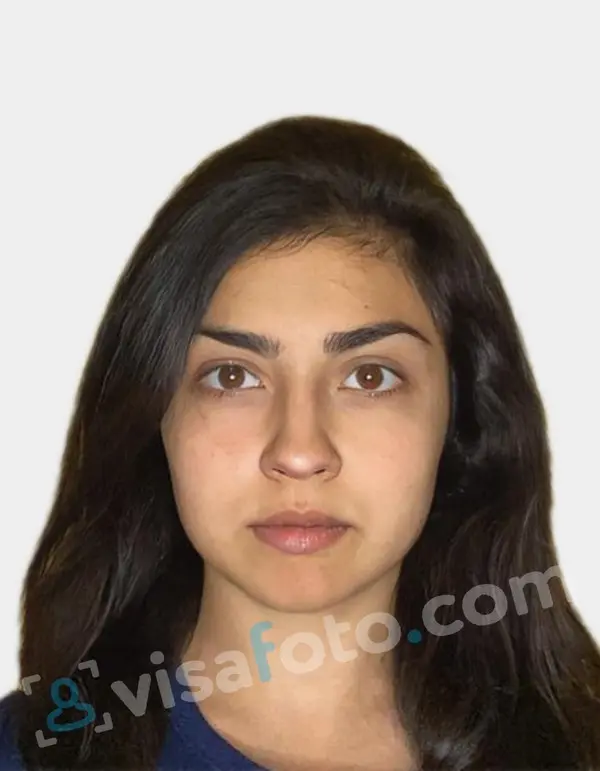
And you're done! Visafoto will automatically adjust the background, size, and head position to meet official standards. You'll receive a digital copy ready for online submissions and a format suitable for printing.
Here is a photo example you can upload to Visafoto:
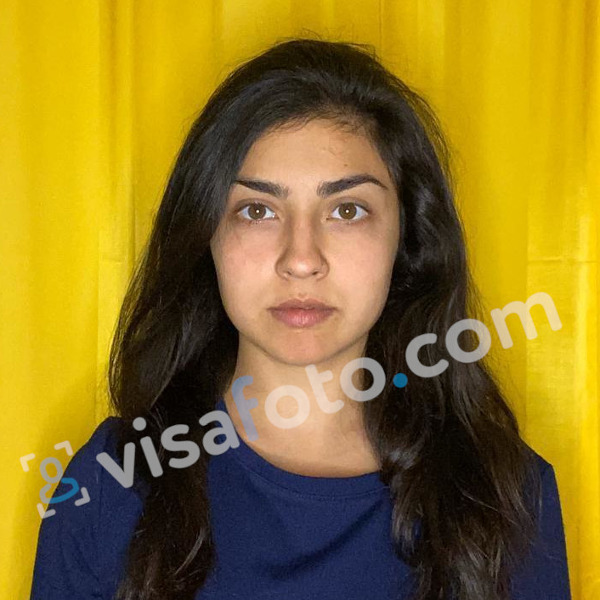
Visafoto boasts a 99.7% acceptance rate, with more than 1,000,000 photos accepted by government authorities, promising compliance with official Netherlands driving license photo requirements or a full refund. Our tech support is available 24/7 for assistance.
Do you need to print out the photo?
Printing the photo is necessary if you apply for your first Dutch driving license. Submit your application in person at your local municipality office, where you'll need to present a physical passport-style photo.
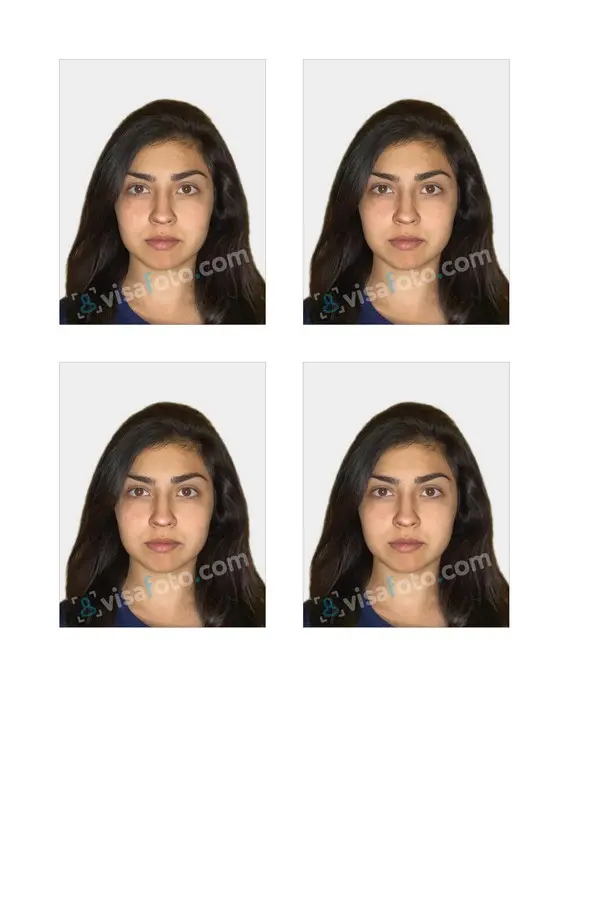
Visafoto simplifies this by providing a file with four individual photos on a single sheet. You can print them at home using a color printer equipped for photo paper or visit a nearby print shop. Ensure you use high-quality photo paper with a resolution of at least 400-600 DPI for sharp results.
How to submit a photo online via DigiD
Online photo submission is available only for license renewals or category extensions via RDW-approved photographers. For new applications, you must visit the municipality in person with a printed photo. Here you’ll find out how to submit a photo when renewing or extending your Dutch driving license.
You can't directly upload a photo via DigiD when renewing your license. Instead, go to an RDW-recognized photographer who will digitally send your compliant photo and signature to the RDW (Netherlands Vehicle Authority). Follow these steps:
- Use the RDW locatiewijzer on the official RDW portal to find an RDW-certified location (enter your postcode and select "rijbewijsfoto laten maken").
- Have your rijbewijs photo taken there or bring your current license. They will send it digitally to the RDW, which approves it and emails you a confirmation with a link or code.
- Log in to the official RDW portal using the DigiD app (ensure ID verification via NFC on Android/iOS), enter the code if required, confirm your details, pay via iDEAL, and choose your pickup municipality.
Ensure your municipality participates in this service, your license was issued after October 2006, and you are renewing or extending, not applying for the first time. The new license will be ready in 2-3 business days. You must pick it up in person at the municipality within three months, bringing your old license.