Pakistan baby passport photo
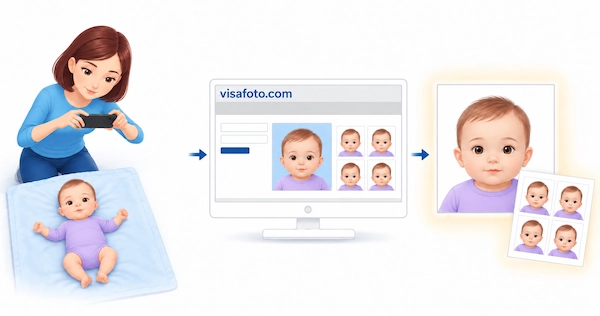
Pakistan citizens of any age must have passports to travel abroad - including children.
How you provide your baby's photo depends on the application route. Passport offices in Pakistan and Pakistani missions abroad capture the photograph during an in-person application. Eligible overseas newborn online applications require a digital photo instead.
Table of contents
- Pakistan baby passport photo requirements
- Pakistan baby NADRA ID card photo requirements
- Where can I take a Pakistan baby passport photo near me?
- Pakistan baby passport photo guidelines
- Get a Pakistan baby passport photo online!
In the article below, you will read about the essential Pakistan passport photo requirements for a baby and the best ways to take a passport photo of a child in Pakistan.
Pakistan baby passport photo requirements
For an in-person application, the DGIP passport procedure includes photographing the applicant at the passport office or Pakistani mission. There is no universal requirement for every baby to bring two printed passport photos. If your mission specifically requests prints, follow its instructions on size and quantity.
For overseas Pakistanis, the online newborn category allows a new passport application for a child up to two years old. Select application type "NEW". This is not a first-passport online route for babies applying from within Pakistan. For a first passport for a child older than two abroad, DGIP directs parents to the relevant Pakistani mission.
The DGIP overseas newborn application requirements specify the following portrait upload:
- Image dimensions: 350 × 467 pixels
- File format: JPEG/JPG
- Maximum file size: 3 MB
- Colour and background: Colour photograph with a white background
A 35 × 45 mm print measurement is not a substitute for these digital dimensions. The newborn documentation list does not specify a 27 mm head height.
When choosing a source photo, aim for a clear, front-facing portrait:
- The eyes should be open and clearly visible;
- Aim for a neutral expression with the mouth closed;
- If glasses are worn, the eyes should remain visible without glare;
- Keep the face unobstructed by clothing or a head covering;
- Keep other people, toys, pacifiers and supporting hands out of the portrait.
Do not assume that an open mouth or closed eyes are automatically accepted because the child is under one. The published newborn documentation list does not state an infant exemption for these features. If you cannot obtain a suitable frame, ask DGIP's online passport support at mrponline@dgip.gov.pk for guidance on your application.
Upload the child's portrait separately from supporting-document scans, such as birth records and parents' identity documents. If DGIP requests a family photograph or other verification image for your case, that is an additional image, not a replacement for the child's individual portrait.
Here is an example of a Pakistan baby passport photo:
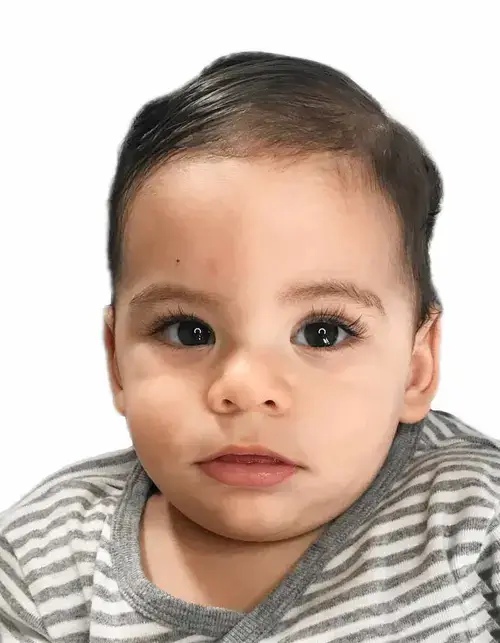
Pakistan baby NADRA ID card photo requirements
Are you applying for a NADRA identity document for your baby? Follow the photo instructions for that specific NADRA document and application route. NADRA identity documents and DGIP passports are separate services, so their photo requirements should not automatically be treated as identical.
In particular, a format labelled "Pakistan babies NADRA ID card 35x45 mm" is an ID-photo format, not confirmation that the file meets the DGIP newborn passport upload requirements above.
Where can I take a baby passport photo near me?
Various copy centers in Pakistan an abroad offer passport photo services. However, taking a photo of a newborn or toddler can be difficult when the child is unsettled around strangers. For an application that accepts a prepared photo, taking it at home lets you work around feeds, naps and your baby's mood instead of a studio appointment. For the standard in-person passport route, the passport office captures the photograph.
Pakistan baby passport photo guidelines
Taking a passport photo for a baby in Pakistan at home is a perfectly doable task. Just follow this quick guide:
- Lay your baby on their back on a blanket or sheet on the floor. Stay beside them throughout; there is no need to prop up a newborn for the camera;
- Hold the camera directly above the baby's face, leaving enough space around the head and shoulders for cropping;
- Make sure your baby's head is in the middle of the picture;
- Try to catch a moment when the baby is looking toward the camera, with eyes open and the mouth closed;
- Use soft daylight where possible. The face should be sharp and clearly visible;
- Take 20 to 60 photos across short, calm attempts and choose one clear frame. Pause if your baby becomes upset.
If you plan to use Visafoto, the source background does not have to be white. The service can replace it and adjust the framing and lighting. Choose a photo without motion blur or anything covering the face: background adjustments cannot recover missing facial detail.
Get a Pakistan baby passport photo online!
You do not need to take your baby to a studio to prepare a photo for an application that accepts a digital upload. With Visafoto, you can use a clear smartphone photo taken at home and prepare the result while your baby rests.
Take a picture with your smartphone or camera against any background. Like this one:
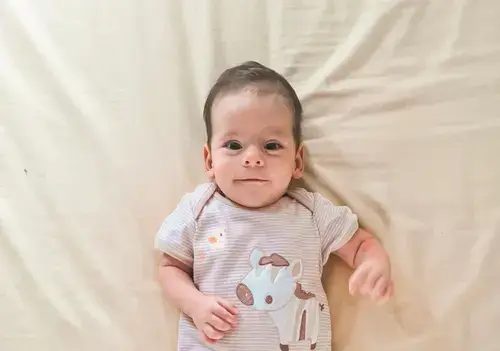
Take plenty of photos first, then select one where your baby's face is sharp, unobstructed and facing the camera. Upload that single image to Visafoto and choose Pakistan and the document-photo format you need. Visafoto automatically crops and resizes the image, replaces the background and enhances lighting, contrast and overall image quality. You do not have to get the background and crop perfect before uploading.
Check the format against your application route. For the DGIP overseas newborn passport application, the final portrait must be a 350 × 467 pixel JPEG/JPG no larger than 3 MB, with a white background. A NADRA ID-photo label does not establish that the selected format meets those passport requirements. If you are unsure which format to choose, contact Visafoto's support with the specifications before ordering.
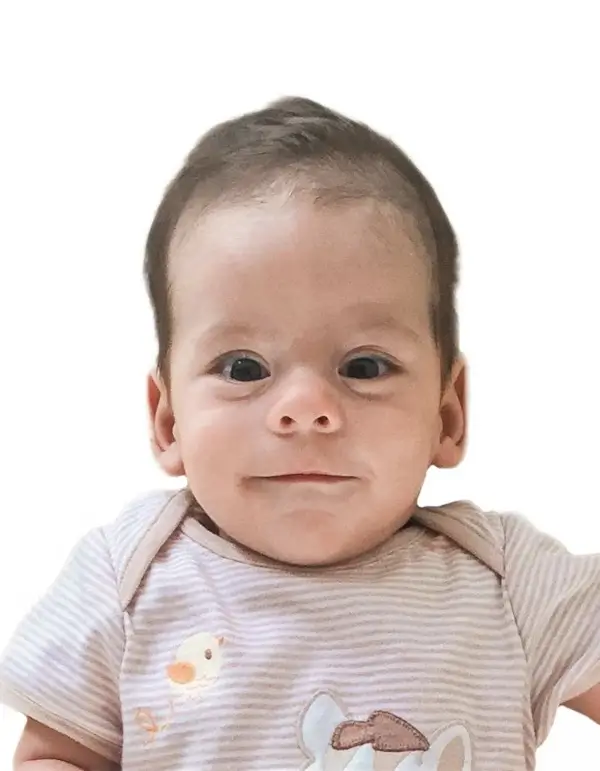
Visafoto provides two image types for the selected format:
- A digital portrait for an application that accepts an uploaded photo;
- A printable template if your application specifically requires printed photos. Use the document's requested photo dimensions and print the template at its intended size, without automatic scaling.
Here they are:
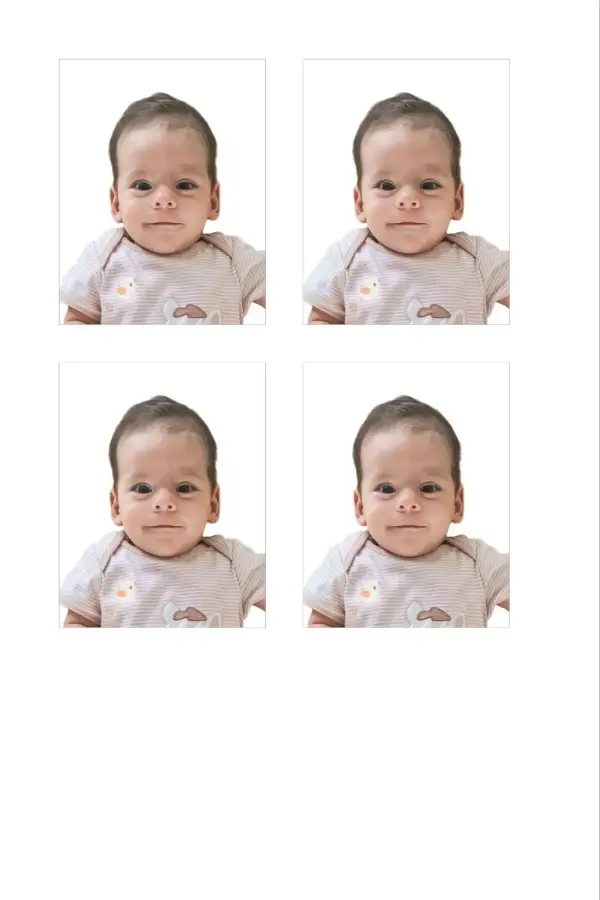
If a source photo is unsuitable, Visafoto's 24/7 support can explain what needs to change, so you know what to look for in the next frame. If a photo purchased from Visafoto is rejected by the passport authority, you can request a 100% refund.
Preparing an upload at home is useful for eligible overseas newborn applications. It does not replace the photograph captured during a standard passport-office or mission appointment, and it does not make passport and NADRA ID-photo formats interchangeable.
Last updated: 6 October 2026.