UK passport application online vs by post: which option is better in 2026

The British passport system offers two application routes, and the difference between them goes beyond format. Processing speed, cost, and convenience vary depending on how you apply. This article sets out which method delivers better results in 2026: UK passport applications submitted by post or online.
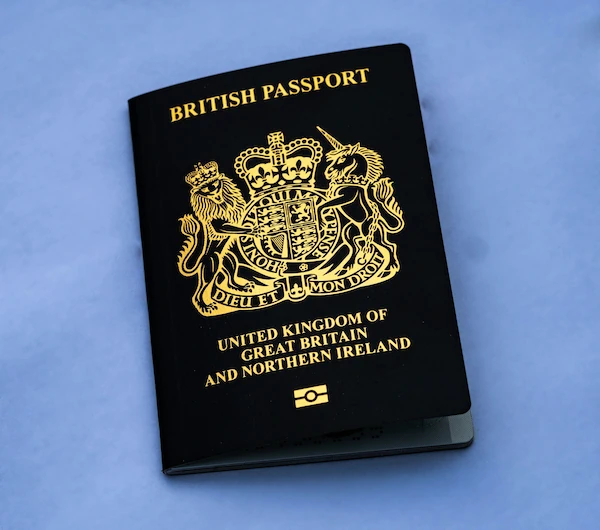
Table of contents
- Online VS postal passport application: Quick decision guide
- Why do most people choose the online passport application
- When applying for a UK passport in person still makes sense
- How the application process differs: general steps
- What you need to apply
- UK passport photo requirements
- Instantly create a UK passport photo online
- UK passport fees and processing time in 2026
- FAQ
Online VS postal passport application: Quick decision guide
Choosing between online and postal applications depends on how quickly you need the passport, how comfortable you are with digital forms, and whether you have all documents ready in the correct format. Online submissions are faster and easier to track, while postal applications suit those who prefer paper or cannot upload documents. Here you’ll learn what you need to decide which option fits your situation.
Go online if:
- You want to save money. Online applications cost £102 compared to £115.50 for postal.
- You need your passport within three weeks.
- You're comfortable uploading a digital photo from your phone or computer.
- You want to track your application progress online.
Opt for postal if:
- You lack internet access or a device.
- You aren't comfortable using online forms or digital photos and cannot visit a Post Office for assistance.
- You prefer to pay cash at a Post Office counter.
Why do most people choose the online passport application
The online UK passport application attracts the majority due to its affordability, user-friendly nature, and the advantage of keeping your old passport during processing. Below, we explain why the digital option has become the default choice for most applicants.
- Economical benefits: Online applications save £13.50 per adult passport (£102 vs. £115.50 for postal), making it an attractive option. This cost-benefit alone convinces millions, as postal forms offer no extra value for most applicants.
- Efficiency and simplicity: The GOV.UK online service streamlines the process, taking about 10 minutes. With features like digital photo uploads and instant submissions, it far surpasses the hassle of printing and mailing paper forms. Users commend its user-friendly design, built-in identity checks, and fewer photo rejections.
- Convenience considerations: Applicants can use their old passport for travel while waiting for the new one, as processing takes up to three weeks. Unlike the postal process, the online method allows full tracking and provides step-by-step guidance to reduce errors, all accessible via smartphone.
When applying for a UK passport in person still makes sense
Applying for a UK passport in person can be the right decision for cases that don't fit the typical online process. Here, you’ll find out about the specific scenarios where face-to-face applications are the better option.
- Second passports: For those needing a second concurrent passport, like frequent business travellers requiring multiple visas, the online form isn't equipped for this request. An in-person visit allows you to present your case, discuss your needs, and receive a decision immediately.
- Immediate issue resolution: If there's a problem with your supporting documents or form details, Passport Office staff can assess and advise on corrections on the spot. This direct interaction prevents delays that could occur with the postal service.
- Need for assistance: If technology isn't your strong suit or you lack the right device, the Post Office offers a "Digital Check & Send" service. A staff member will assist you with the online application and ensure everything is filled out correctly. Although there's a fee for this service, you'll still benefit from the lower online application cost and quicker processing time.
How the application process differs: general steps
The two methods follow the same core stages but differ in how you submit information, verify identity, and send documents. Online applications are guided step by step, while postal forms require careful manual completion and mailing. Below, we explain how each process works.
Online application process:
- Access the UK passport application page on GOV.UK.
- Click "Start" and follow the instructions to confirm eligibility and begin the application form.
- Complete the digital form with personal details and travel history, and upload a digital photo, taken at home with a smartphone.
- Pay the fee with a credit or debit card online.
- Submit instantly, then receive instructions by email on which documents to mail.
- Track your application's progress online.
UK passport postal application process:
- Fill out the paper application form manually.
- Attach two physical photos (one may require a countersignature), relevant documents, and your old passport.
- Pay with a cheque or Postal Order, or use cash at the Post Office for form-related payments.
- Mail the complete application package to the HM Passport Office.
Where can I get a paper passport application form in the UK? Paper passport application forms are available at Post Offices offering Passport Check & Send service or by calling the Passport Adviceline.
What you need to apply
To apply for a UK passport, you must provide proof of identity, citizenship, and other personal details. The key difference between online and postal applications is the format: online applicants submit digitally, while postal applicants send physical documents. Below you’ll find what you need to prepare for both methods.
Core requirements for all applications:
- Proof of British citizenship: Typically, a full birth certificate (with parents' details) or a certificate of naturalisation or registration.
- Identity documents: A valid passport, biometric residence permit, or another official photo ID.
- Passport photos: Must meet strict UK government standards. Online applicants upload a digital photo; postal applicants provide two identical printed photos.
- Proof of residence: Documents such as utility bills or council tax statements are required to confirm your name and address.
- For overseas applications: Provide a full-colour copy of every page of your current passport and the passport used to travel to your current residence.
Additional documents based on circumstances:
- For renewal: Your old British passport (reference number needed), details of any name or gender changes, and marriage or divorce certificates, if applicable.
- For a first adult passport: A full birth or adoption certificate showing parents' names, parents' or grandparents' birth/marriage certificates (if born before 1983 or outside the UK), and a naturalisation/registration certificate, if applicable. Include a countersignature if no photo ID is available, and evidence of your parents' UK status at your birth, such as their passports.
- For child passports (under 16): Provide the child's full birth certificate, parental consent/documents (e.g., parental responsibility orders), old passports, and one parent's photo ID/address proof (e.g., driving licence, utility bill). Typically, both parents need to provide a countersignature.
For first-time UK passport applicants:
If applying for your first UK passport, someone must confirm your identity and photo. This referee, a professional such as a teacher, doctor, or civil servant, must have known you for at least two years and cannot be a relative. Friends, colleagues, or neighbours may qualify if they meet the criteria. After you submit and pay for your application, your referee receives an email with a secure link to confirm your identity. They will answer questions about your character and verify that your photo is a true likeness.
For a more detailed document checklist, visit the GOV.UK website.
UK passport photo requirements
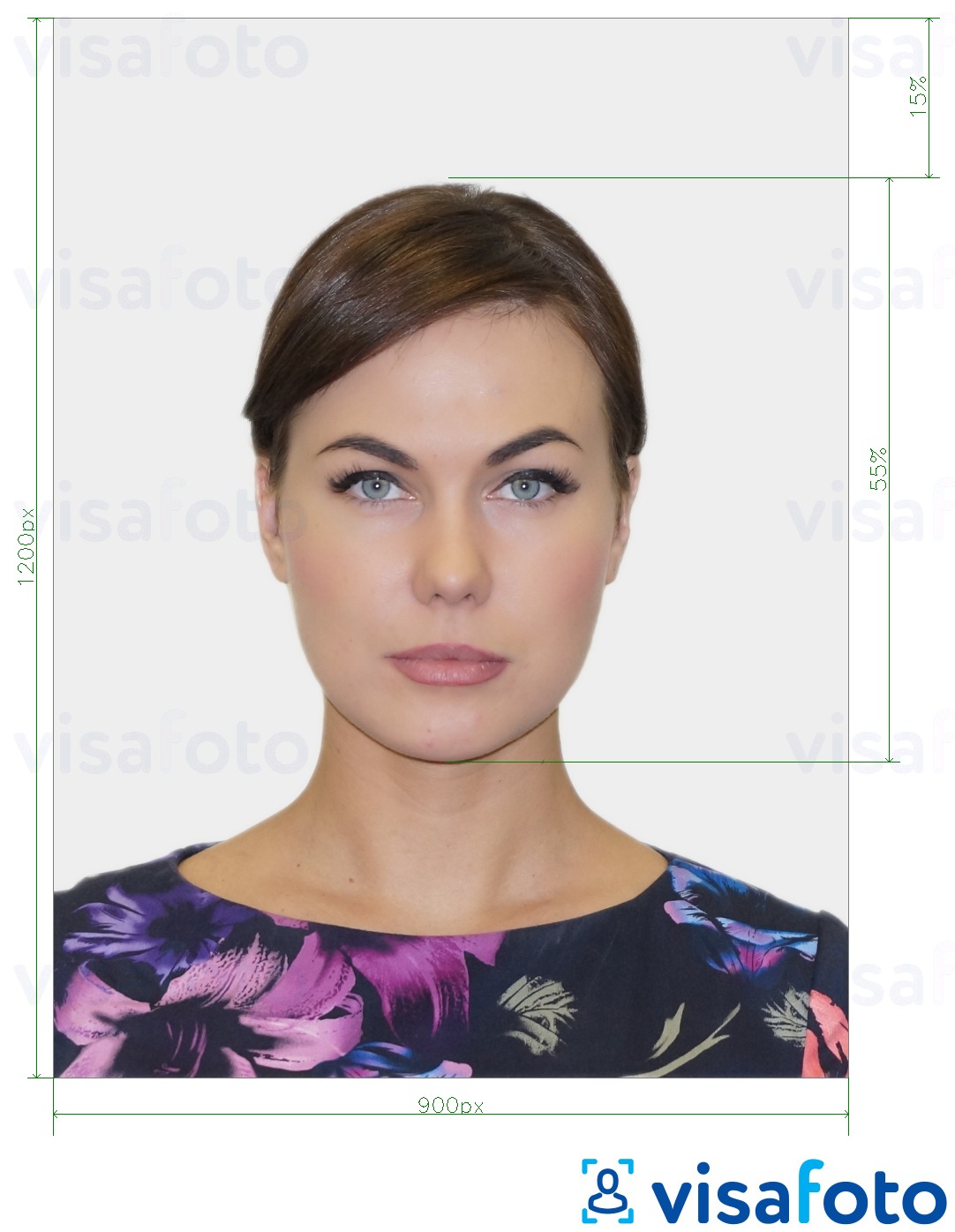
For your UK passport application to proceed smoothly, your photo must comply with the HM Passport Office's strict rules on size, quality, and content. While digital and printed photos share many requirements, there are slight differences. Below you'll find the essential criteria for both digital and printed UK passport photos.
- Digital photos:
- Image dimensions: at least 600 pixels wide by 750 pixels tall.
- File size: between 50KB and 10MB.
- Format: JPEG, in colour.
- Printed photos:
- Dimensions: exactly 35mm wide by 45mm high, printed on matte photo paper (provide 2 identical copies).
- Head size: from crown to chin should measure 29-34 mm.
- The background must be plain and light-colored, such as white, light grey, or cream. No shadows or patterns.
- Face the camera directly with a neutral expression; eyes open and mouth closed.
- Even exposure, no red-eye or glare.
- Head coverings are permitted only for religious or medical reasons, ensuring full visibility from chin to forehead, including both face edges.
- Remove glasses to avoid glare. If medically necessary, ensure eyes are clearly visible.
- Photos must be taken within the last month.
Here is a photo example:
Instantly create a UK passport photo online
Learn how to easily create a UK passport photo online that meets all official requirements.
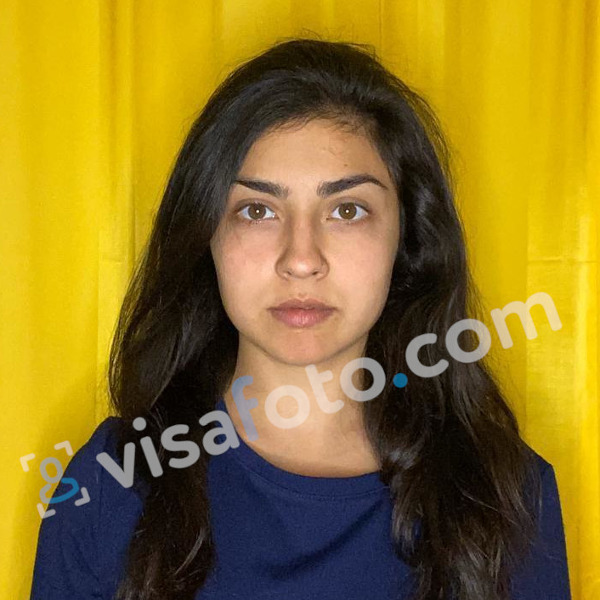
With modern online photo tools, there's no need to visit a photo studio for high-quality document photos. In just a few minutes, you can take a compliant passport photo using Visafoto, a reliable photo editing service. Follow these two simple steps:
- Capture a photo in daylight and upload it to the Visafoto tool below.
- Choose the country (UK) and document type (passport).
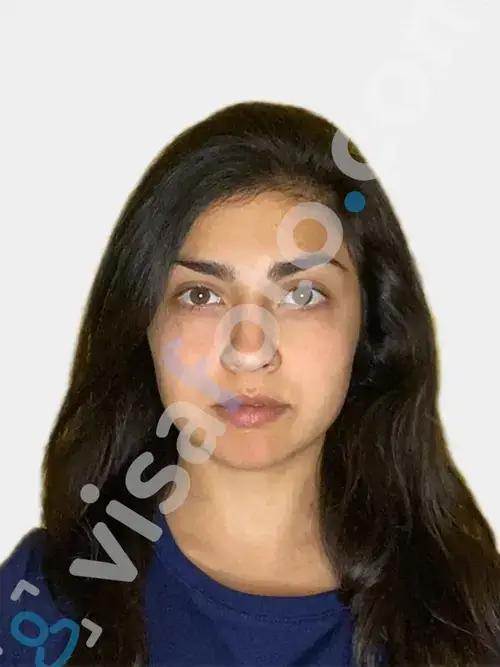
That's all! Visafoto takes care of the rest, automatically adjusting the background, size, and head position to match official guidelines. You'll receive a digital copy along with a version ready for printing, whether you choose a UK passport online or an offline application.
Sample photo for Visafoto:
Result after Visafoto editing:
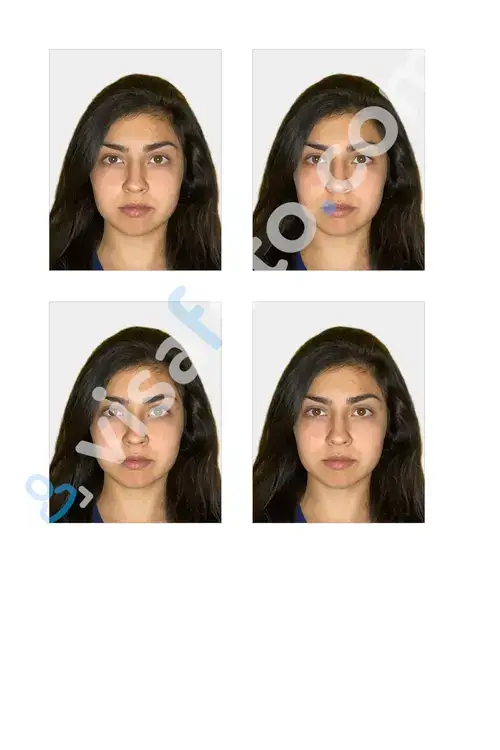
With a 99.7% success rate and over one million accepted photos, Visafoto guarantees compliance with official standards, or you receive a full refund. Our customer support is available 24/7 to address any issues.
UK passport fees and processing time in 2026
As of April 8, 2026, UK passport fees have increased by 8%. Opting for an online application remains the most cost-effective choice. Here, you’ll find out about current fees and realistic timelines for 2026.
- Online application:
- Adults (16+): £102.
- Children (under 16): £66.50.
- British passport application at the Post Office:
- Adults (16+): £115.50.
- Children (under 16): £80.
Processing times:
- Online standard service: The Passport Office aims to process applications within 3 weeks. However, recent applicants often receive their passports in just 7-10 working days.
- Postal applications: This method is slower due to the need for mailing and manual document checks. The HM Passport Office emphasises that UK passport renewals by mail "take longer."
Expedited services:
- 1-week fast-track: £166.50 for adults, requires an appointment at the Passport Office.
- Premium same-day service: £239.50 for adult renewals, with next-day appointments available.
FAQ
Do I need to print out a photo when applying for a UK passport online?
No, you don't need to print a photo for online applications. Simply upload a compliant digital photo directly through GOV.UK (minimum 600x750 pixels, JPEG/PNG). The system checks digital photos instantly, while printed photos are only necessary for UK passport paper applications.
Is the online UK passport system available for first-time applications?
Yes, first-time adult passport applicants can use the online system. Eligible British nationals aged 16 and over can apply online, providing a digital photo, an identity verifier, and documents like a birth certificate. Interviews may be required in some cases.
Can I apply for a UK passport online if I’m abroad?
Yes. British citizens living overseas can apply through the official gov.uk service. Processing usually takes an additional 3–6 weeks compared to UK-based applications.
Do I need to send my old passport when applying online?
No. You can continue using your current passport until the new one is issued (a ‘528’ code sticker may be added if necessary). With postal applications, however, you’re required to send in your existing passport straight away, which means you won’t be able to travel while it’s being processed.
How can I track a postal passport application?
Tracking is fairly limited. HM Passport Office may send email or text updates, typically after around five weeks. By contrast, online applications come with a full tracking dashboard available from the start.
Can I upgrade a postal application to a 1-week fast-track service?
Yes. You can book a Fast Track or Premium appointment at a Passport Office after submitting your postal application. If you apply online, you can usually select and book a fast-track option directly during the process.