DS-160 Photo Rejected: What to Do

When you fill out the DS-160 form for a U.S. visa application, one of the most confusing moments often happens right at the photo stage. The system suddenly rejects the image, refuses to upload it, or shows a version that looks blurry or distorted on the confirmation page. At first glance this can feel like a serious problem, but in reality it is usually a technical issue caused by strict automated validation rules rather than anything related to the visa decision itself.
The important thing to understand is that a photo problem in DS-160 is very common and, in most cases, fully fixable without affecting your application.
In this guide, we’ll explain why DS-160 photo errors happen, how to fix them step by step, and how to make sure your image is accepted without delays.
Table of contents
- Photo requirements for DS-160
- Get your U.S. visa photo online. How Visafoto helps prevent DS-160 photo issues
- How to upload a photo in DS-160
- Why DS-160 photo can get rejected
- What a photo upload error actually means
- Why a photo may look like it “didn’t work”
- Why the photo looks blurry on the DS-160 confirmation page
- What to do if your photo is rejected or upload fails
- Can DS-160 photo errors affect your visa application?
Photo requirements for DS-160
A photo uploaded with your DS-160 application must strictly follow U.S. visa technical standards. The system does not evaluate images visually like a person, but only checks whether the file meets predefined digital and formatting rules. Even small deviations can result in rejection during upload.
To pass the DS-160 photo check, the image must meet the following conditions:
- Size: 2×2 inches (51×51 mm)
- Format: JPEG (.jpg)
- File size: usually up to 240 KB
- Color: full color photo (not black and white)
- Background: plain white or off-white, without patterns or shadows
- Head position: centered, fully visible, with correct proportion in the frame
- Expression: neutral, both eyes open, no exaggerated facial expression
- Glasses: generally not allowed unless medically required
- Recency: taken within the last 6 months
- No filters, heavy retouching, or AI-based smoothing
Even if a photo looks correct visually, it may still be rejected if it fails any technical parameter.
Get your U.S. visa photo online. How Visafoto helps prevent DS-160 photo issues
Visafoto is designed specifically for visa photo requirements, including DS-160 standards. Our service automatically adjusts the image to the correct size, ensures the background is compliant, and prepares the file in the required format and file size.
How to use Visafoto:
- Upload your photo, select the country and document type (e.g. U.S. visa), and the system will automatically process it.
- After a few seconds, you can download a ready-to-use file for online submission or printing.
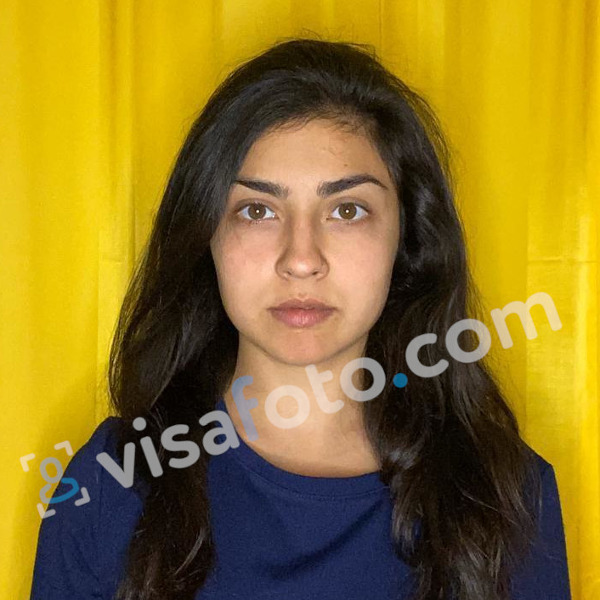
Example of the photo you can upload to Visafoto:
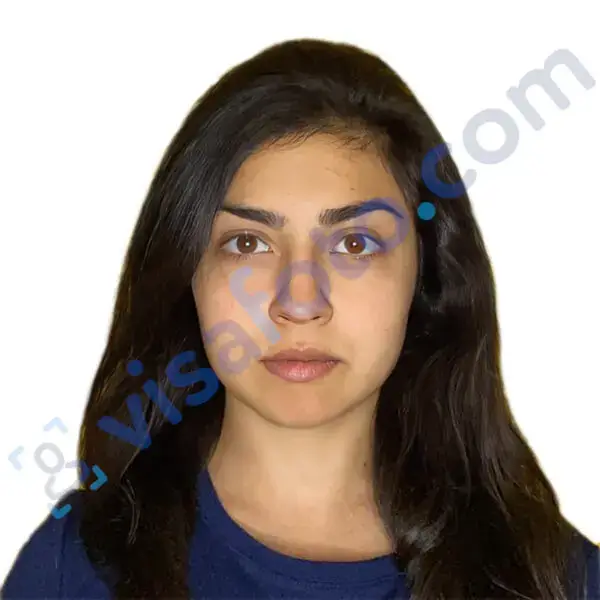
The result after Visafoto editing:
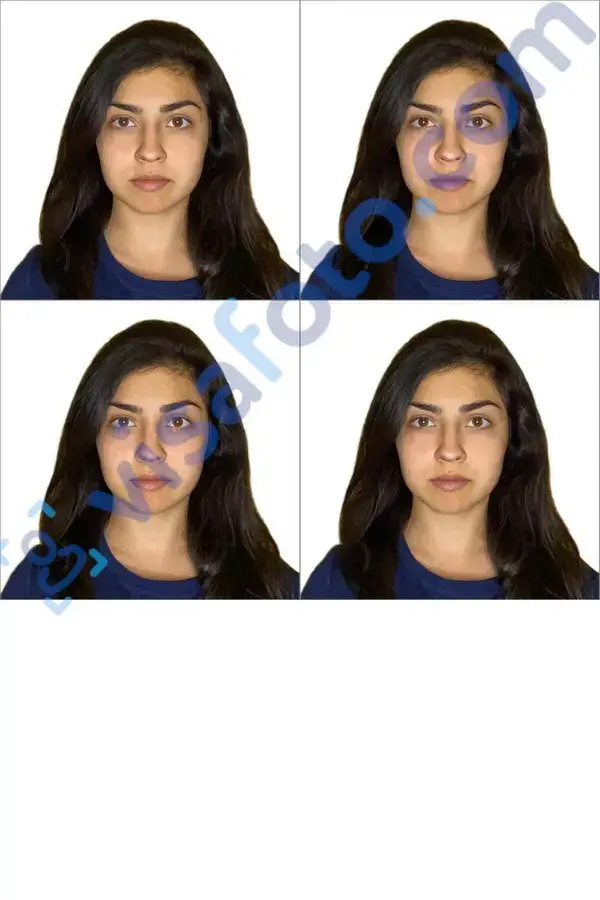
The editor also includes automatic enhancement that improves lighting, increases sharpness (including scanned photos), and corrects framing when necessary.
If a photo created with Visafoto is not accepted by the system, a 100% refund is provided. Reduces the risk for applicants who want a compliant result without dealing with technical formatting issues.
How to upload a photo in DS-160
Uploading a photo is part of the online DS-160 application process. After entering personal information, the system will prompt you to submit an image file.
The process works as follows:
- Select the photo file from your device
- Upload it through the DS-160 interface
- Wait for automatic validation
- Check whether the image appears on the confirmation page
If the photo meets requirements, it will be accepted and shown in the application preview. If not, the system will reject it immediately and request a new upload.
Why DS-160 photo can get rejected
The U.S. immigration system does not “look” at your photo the way a human would. Instead, it runs an automatic check that verifies whether the file strictly matches technical requirements.
Because of this, a photo can be rejected even if it looks perfectly fine to the applicant.
Typical reasons include incorrect file format, oversized files, wrong dimensions, background that is not fully white, shadows on the face, etc.
What a photo upload error actually means
Sometimes the problem is not the image itself but the upload process. A DS-160 photo upload error usually means the file was not successfully processed by the system.
This can happen due to browser issues, unstable internet connection, or temporary server problems. In some cases, the error is completely unrelated to the photo quality.
There are also situations where users encounter server-side failures, such as error 503. This is not connected to the applicant’s file and simply indicates a temporary system issue.
Why a photo may look like it “didn’t work”
There are also cases where the upload technically succeeds, but the system still does not behave as expected. For example, the image may appear missing, rejected, or incorrectly processed.
This often happens due to automatic compression or internal conversion of the file. The DS-160 may reduce image quality or adjust the format in the background, which can create the impression that something went wrong even if the original file was correct.
In many cases, simply re-uploading the file or trying a different browser resolves the issue.
Why the photo looks blurry on the DS-160 confirmation page
A common concern is when the uploaded DS-160 photo appears blurry after submission. This usually creates unnecessary panic, but it is important to understand what is actually happening.
The DS-160 system often generates a compressed preview of the image for display purposes. This preview is lower quality than the original file, so it may look pixelated or soft.
However, this does not affect the actual stored image used in processing. The blur is only a visual representation on the confirmation page and does not indicate rejection or quality loss in the official record.
What to do if your photo is rejected or upload fails
There are two main ways to resolve a DS-160 photo issue: either fix the image and re-upload it, or bring a printed photo as a backup for your interview.
If you are still editing the DS-160 form
In most cases, the easiest solution is to correct the photo and upload it again directly in the same application.
Start by making sure the image fully meets the official requirements: a square JPEG file, typically 600×600 pixels (or up to 1200×1200), and under 240 KB in size. The photo should have a plain white or off-white background, a neutral facial expression, a clear full-face view, and no shadows or heavy digital editing.
If the upload still doesn’t work, the issue is often technical rather than related to the photo itself. In that case, it helps to:
- try a different browser such as Chrome, Firefox, or Edge
- clear your cache and cookies
- disable browser extensions or ad blockers
- switch to another device if possible
If the upload keeps failing or the DS-160 is already submitted
If repeated attempts do not work, or if the confirmation page shows that the photo was not accepted (for example, an “X” instead of the image), you can simply bring a printed photo to your visa interview.
U.S. consular practice allows applicants to submit a physical photo in such cases. The printed image must still meet all official requirements: 2×2 inches (51×51 mm), in color, with a white or off-white background, taken within the last six months, and with the face properly centered (about 50–69% of the frame height).
In most situations, it is recommended to bring at least two printed copies, just in case the embassy requests a replacement.
Can DS-160 photo errors affect your visa application?
A DS-160 photo rejection or upload failure is treated as a technical issue, not as a negative factor in your visa case.
As long as you provide a compliant photo later—either digitally or in printed form—and the rest of your application is correct, the visa decision is based entirely on your eligibility, not on earlier upload errors.
In most cases, the issue can be resolved either by correcting the file or bringing a printed photo to the interview.
Visafoto can help you to easily submit your U.S. visa documentation by preparing a fully compliant photo in advance, significantly reducing the likelihood of repeated errors!