AI passport photos: official rules, risks and alternatives

An AI-generated biometric photo can look convincing and still be unsuitable for your passport application. An ID photo must show your real appearance, meet precise measurements and follow the issuing authority's rules. Asking an image generator for a "passport-size photo" does not establish any of those things.
The distinction is between preparing a real photograph for a specific document and generating a new version of your face. This guide explains the risks of relying on a general-purpose image generator, what official instructions say and how Visafoto combines specialised photo preparation with experienced human support.
Table of Contents
- What does "AI passport photo" actually mean?
- Can you use AI for a passport photo? Official rules explained
- Prepare your passport photo online with Visafoto
- Why exact passport photo measurements are difficult to get from a prompt
- Why generating a new face is different from preparing a photo
- Free AI passport photo tools: what should you check?
- What if your passport photo is rejected?
- Frequently asked questions
What does "AI passport photo" actually mean?
The term covers several different processes. One tool may crop an existing photograph; another may generate a studio-style portrait based on a reference image. Both can be advertised as AI passport photo makers, but their outputs are not equivalent.
Photo preparation can include adjusting the image dimensions, positioning the head within the frame, preparing a background and exporting a file. Generative portrait editing can go further: it can produce new facial detail, change an expression or create a different version of the person shown in the original.
A flattering portrait is not necessarily an accurate identification photo. Before using a tool, find out whether it prepares your real photograph or reconstructs the person in it. Also check whether it supports your exact document, rather than a generic "biometric" format.
Biometric photos do not all have one size. Requirements depend on the issuing country, document and application method. Our ICAO photo guide explains why international guidance does not mean every passport and visa uses identical specifications.
Can you use AI for a passport photo? Official rules explained
Do not assume an AI-generated passport photo is acceptable because it looks realistic. Authorities have their own rules on appearance, image changes and submission, and some restrictions extend beyond changing facial features.
These official examples show why the wording matters:
| Passport authority | What its guidance says |
|---|---|
| Canada | Its passport photo instructions explicitly include filters and AI in the editing restriction. The definition of alterations includes facial changes. |
| New Zealand | Its guidance says the photo must show the applicant's natural appearance and prohibits filters, digital alterations and AI tools used to modify how the applicant looks. |
| Australia | The Australian Passport Office requires a clear, unedited photo. It warns that filters and retouching can change key facial features and prevent biometric systems from matching the applicant's face correctly. |
These examples concern passports, not every visa or ID issued by those countries. Read the instructions for your actual application. An online upload and an in-person application may also have different photo-delivery requirements.
The authority's wording and a photo service's preparation methods are separate matters. Visafoto's approach is to preserve identity while preparing the image, as explained below. That does not mean an authority has granted the service an exception to its published rules or approved its software.
Prepare your passport photo online with Visafoto
Visafoto is professional software built specifically to prepare photos for passports, visas and other official documents. You start with a real photograph and select the document you need. The service handles the photo's dimensions and framing without changing your facial features.
Rather than repeatedly asking a general-purpose generator to make your head smaller or add space above it, you choose the relevant country and document format. Visafoto adjusts the photo size, head positioning, eye line and margins for that selection.
From a phone photo to a document-specific result
You do not need a studio setup or a finished passport-style source image. Ask someone to take a clear picture with your whole head and shoulders visible and room around them. The starting background does not have to be perfect: Visafoto can replace it with the background for the selected format.
Visafoto can also improve lighting, contrast and resolution, including local lighting adjustments, while preserving your identity. Its task is the kind of photo preparation a studio photographer performs: framing and preparing the real image, not inventing a different face. A genuinely blurred image or an obscured face may still require a better source photograph.
To get your photo:
- Take a few photographs with a phone or camera and choose a clear, front-facing image.
- Upload it to Visafoto and select the country and document type.
- Review the prepared result, including the crop and your appearance.
- Download the digital file for an upload or the printable layout for a printed-photo application.
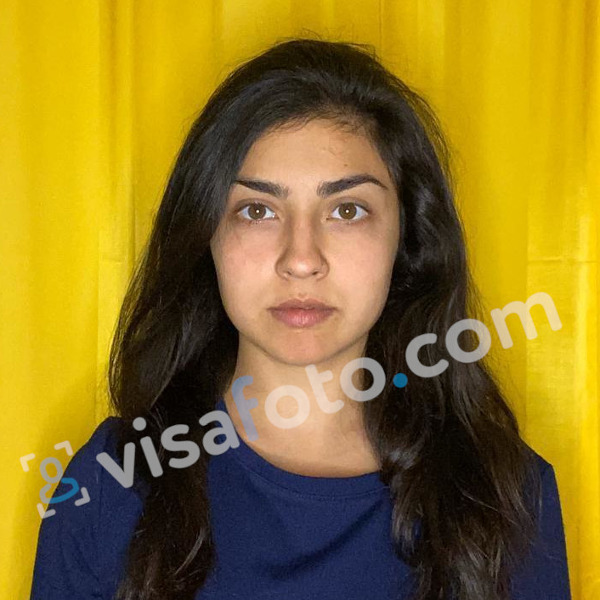
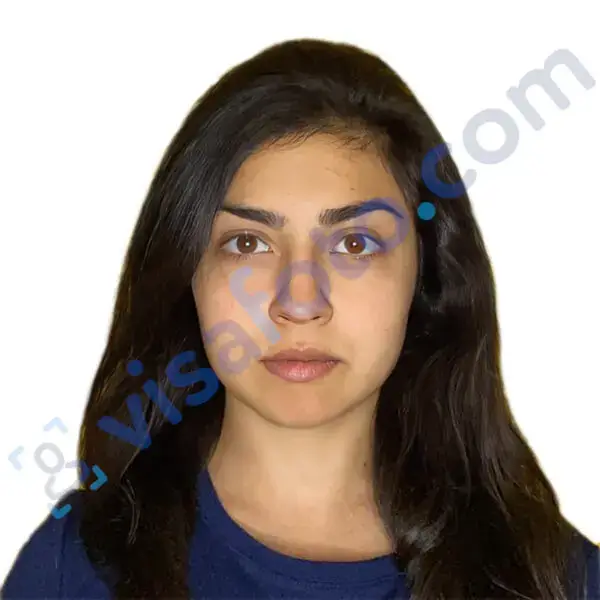
Example of the photo you can upload to Visafoto:
The result after Visafoto editing:
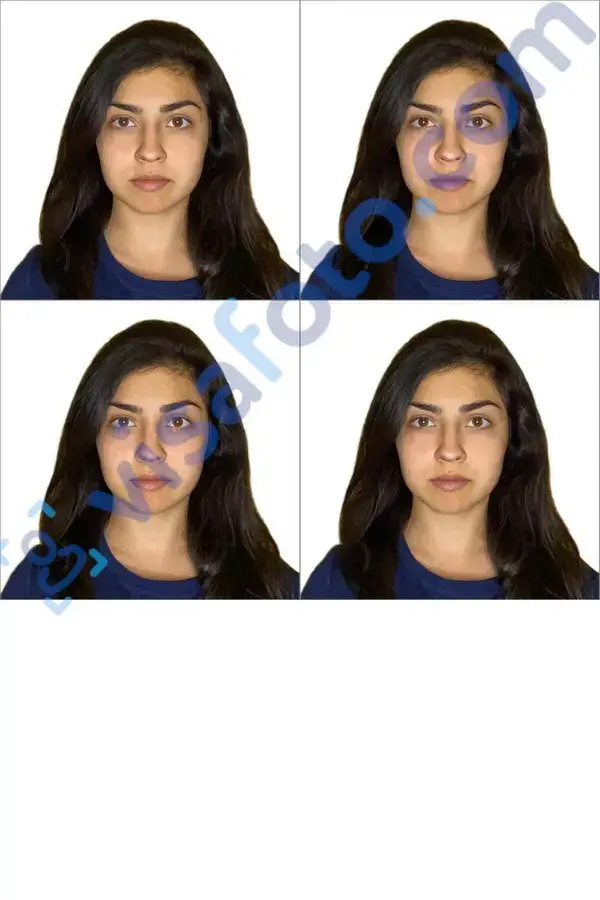
Choose the issuing country, not simply the country where you live. Also distinguish a passport from a visa and an online application from a printed-photo route. A printable layout should suit the required document dimensions and paper format; there is no universal print sheet for every application.
A specialist tool, proven in real applications
Approximately one million photos prepared with Visafoto have been accepted by government authorities. That is practical experience with real document submissions.
The service's specialisation matters because a document photo is a measurement task as well as a photography task. The finished result needs the right relationship between the image boundaries and the applicant's head, not just a clean background and a recognisable face.
Automatic preparation with human support
You can get help from experienced support specialists. Visafoto offers 24/7 support, and each support case is considered individually. If you have a question about your source image, the prepared result or feedback from an authority, contact support with the details.
Support can help check the photo, explain a problem and assist with a replacement where needed. You do not have to work out what went wrong from a generic error message alone.
If a government authority rejects a photo purchased from Visafoto, you can request a 100% refund under the refund policy. The guarantee covers your photo-service payment, not passport or visa application fees.
Privacy for your document photo
Visafoto's privacy policy states that it does not sell or transfer your photos to third parties, except when you explicitly order prints, and does not use them in advertising or marketing. Check the privacy policy of any service before uploading a facial photograph.
Why exact passport photo measurements are difficult to get from a prompt
Asking AI for a particular photo size is not the same as measuring the exported image. A prompt can describe what you want, but you still need to verify the canvas, framing and saved file.
Document-photo requirements can involve several separate measurements:
| Measurement | What needs checking |
|---|---|
| Printed photo dimensions | The physical width and height of each finished photo in millimetres or inches. |
| Digital image dimensions | The pixel width and height accepted by the application portal. |
| Head height | The required head measurement, using the authority's defined reference points. |
| Eye position and margins | The eye line and space above, below or beside the head, where specified. |
| File format and capacity | The accepted file type and file-size limits for an online application. |
| Print scaling | Whether the printing service preserves the prepared dimensions. |
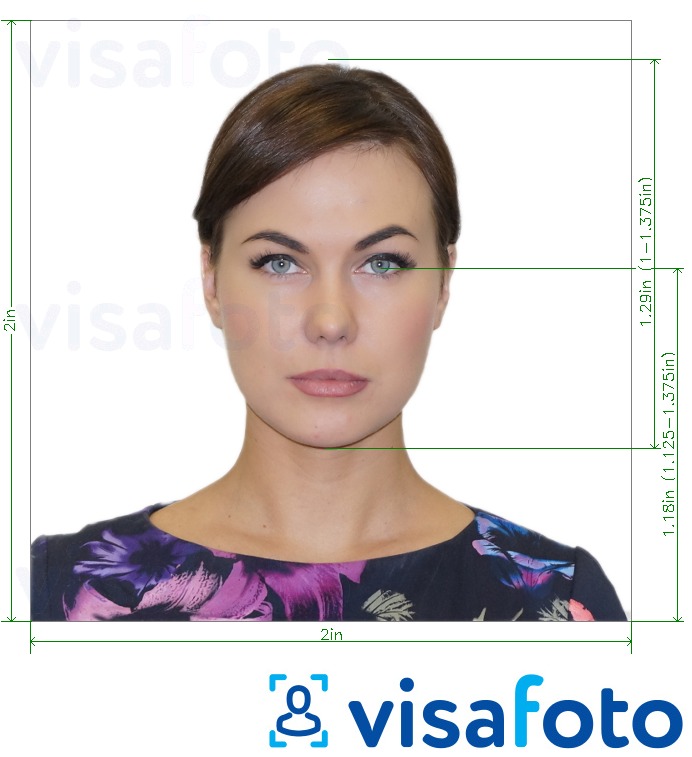
This is a 2×2 inch example. Other documents require different dimensions, head measurements or submission formats.
Why resizing a passport photo alone does not fix head size
Imagine an illustrative requirement that a head occupy 70% of a photo's height. In a 600-pixel-high image, that would mean a head height of 420 pixels. This is an arithmetic example, not a universal passport requirement.
If the head currently occupies 80% of the image, shrinking the whole file does not change that proportion. The face and the surrounding space shrink together. Correcting the ratio requires a different crop or positioning within the frame, not simply a smaller export.
The same principle applies when printing. A correctly prepared file can produce an incorrectly sized photo if the printer stretches it to fill the paper. Follow the instructions for the printable layout and check the finished photo's dimensions. Our passport photo printing guide covers the practical steps.
Why generating a new face is different from preparing a photo
A passport photograph must identify the applicant, not an improved interpretation of them. A generator can produce a plausible portrait without preserving every identifying detail from the source image.
Changes may be subtle: a different eyelid shape, a narrower nose, smoother skin or an altered jawline. Asking a generator to "open my eyes", "make me look straight ahead" or "remove my smile" can involve creating facial information that the camera did not capture in that pose.
Adding detail to a blurred face presents a related problem. Detail that looks realistic is not proof that it accurately represents the person. A sharper-looking result and an accurate identification photo are different things.
This does not mean every AI-labelled tool changes faces, or that a specialist service cannot use AI-assisted technology. Judge the actual workflow and result. Preparing an existing photograph while preserving facial features is different from generating a replacement portrait.
Free AI passport photo tools: what should you check?
A free tool may be useful for a simple crop or resize if it provides the required controls. What matters is whether it prepares the right result for your document and gives you a way to resolve problems.
Before uploading, check:
- Whether it supports the exact country, document and application method.
- Whether it preserves facial features rather than generating a new portrait.
- Whether it checks head positioning as well as the outer image dimensions.
- Whether the downloaded file meets the required format and file-size limits.
- Whether its printable layout preserves the required individual photo size.
- Whether human support is available.
- How it handles uploaded photographs under its privacy policy.
Do not treat a "passport ready" label as evidence of official approval. Compare the actual features and terms, not just the headline promise.
What if your passport photo is rejected?
Read the authority's specific reason before changing the photo again.
If you bought the photo from Visafoto, send the rejection message and your order details to support. Experienced specialists can consider your case individually and help identify the next step. You can also request a 100% refund if the government authority rejects the purchased photo.
Frequently asked questions
Can an AI image generator make an acceptable passport photo?
A realistic-looking generated portrait is not enough. The image must accurately show your facial features, meet the document's measurements and comply with the authority's rules. Do not rely on an image generator's description of its own result as proof that these conditions are met.
Can I fix an AI passport photo by resizing it?
Resizing can change the file's pixel dimensions, but it does not correct an altered face or change the head-to-frame ratio. The crop, positioning and document-specific requirements need separate checks.
What makes Visafoto different from a general-purpose image generator?
Visafoto is built for document-photo preparation: you select the country and document, and it prepares a real photograph's dimensions, framing, background and output while preserving facial features. It also offers individual human support and a refund if a government authority rejects the purchased photo.
Can someone help me check my prepared photo?
Yes. Visafoto's support specialists can help check your photo and answer questions about the result. Send your order details and any relevant feedback from the passport or visa authority so they can consider your case individually.
Does a correct photo guarantee that my application will be approved?
No. Photo acceptance is only one part of a passport or visa application. Visafoto's refund guarantee concerns the purchased photograph, not the outcome of the application.
Last updated: 25 October 2026.