Nigerian Passport Photo Requirements and NIS Upload Process

A fresh or renewal Nigerian passport application requires two separate photo-related steps. First, the applicant uploads an ICAO-compliant portrait through the Nigeria Immigration Service (NIS) passport portal. After submitting the application, the applicant must normally attend the selected immigration office for biometric enrolment.
This guide explains how to prepare and test the portal photo, and what is being done at the biometric appointment.
Table of contents
- How Is a Nigerian Passport Photo Submitted?
- What Size Should a Nigerian Passport Photo Be?
- Nigerian Passport Photo Background
- Colour and Lighting
- Pose and Facial Expression
- Passport Photo Clothing Requirements
- Get a Nigerian Passport Photo Online with Visafoto
- How to Test a Nigerian Passport Photo Before Applying
- Photo Upload and Biometric Enrolment Are Separate Steps
- Where Can I Get Help with My Nigerian Passport Photo?
How Is a Nigerian Passport Photo Submitted?
Applicants for a fresh or renewed standard Nigerian passport upload an ICAO-compliant portrait in the NIS passport application portal. The uploaded file is part of the online application, but it does not replace the later biometric enrolment step.
The official fresh passport application instructions give this sequence:
- Start a fresh passport application and verify the National Identification Number (NIN).
- Select the processing centre and passport booklet size.
- Upload an ICAO-compliant picture.
- Review the personal details obtained from the National Identity Management Commission (NIMC), provide contact and next-of-kin details, and upload the supporting documents.
- Submit the application, make payment and book the biometric enrolment appointment.
- Attend the selected immigration office for biometric data capture.
The official passport renewal instructions follow the same photo sequence after the applicant enters the current passport details and compares them with the NIN record.
Use the requirements shown inside the current application and the live NIS photo test.
What Size Should a Nigerian Passport Photo Be?
The current NIS passport photo checkerspecifies a digital image measuring 600 × 800 pixels. This is a portrait-orientation image with a 3:4 width-to-height ratio.
Prepare the upload with these technical specifications:
- Pixel dimensions: 600 pixels wide × 800 pixels high
- File size: less than 2 MB
- Accepted file types: JPG, JPEG or PNG
- Background: white
- Orientation: vertical portrait
The dimensions and file size are only the technical part of the check. The photograph must also pass the NIS assessment for ICAO compliance, including face position, visibility, lighting and image quality.
Nigerian Passport Photo Background
The NIS application calls for an ICAO-compliant image. Use a plain, evenly lit background that clearly separates the face and hair from the surroundings. Avoid patterns, objects and visible shadows behind the applicant.
Colour and Lighting
Use a clear colour portrait that shows the applicant's natural skin tone. The face should be evenly lit, without strong shadows, glare, overexposed areas, red eye, blur or visible compression artefacts.
Filters and retouching must not change the applicant's appearance. The uploaded portrait should remain a true and current likeness of the passport holder.
Pose and Facial Expression
For a suitable biometric portrait:
- Face the camera directly and keep the head upright and centred.
- Show the full face clearly.
- Keep both eyes open and visible.
- Use a neutral expression with the mouth closed.
- Keep hair away from the eyes and the main facial features.
The NIS checker, rather than an unsupported head measurement from an older guide, should be used to assess the submitted file.
Passport Photo Clothing Requirements
Choose ordinary clothing that remains distinct from the background. Avoid anything that hides the face. If a head covering is worn for religious reasons, the facial features should remain visible. Glasses should not obscure the eyes or create glare; if this cannot be avoided, take the photo without them.
Get a Nigerian Passport Photo Online with Visafoto
Visafoto can prepare the digital portrait needed for the Nigerian passport portal. Take several pictures with a phone or camera and upload the clearest one. The source image does not need a finished passport-photo background or studio lighting: Visafoto can replace the background, adjust the crop and framing, improve lighting, contrast and resolution, and create the Nigerian passport-online format.
Select Nigeria and the passport-online document type, not the Nigerian visa format. Download the prepared digital file, then test it with the official NIS photo checker before adding it to the passport application. The service prepares the photo upload, but it does not replace biometric enrolment or guarantee approval of the passport application.
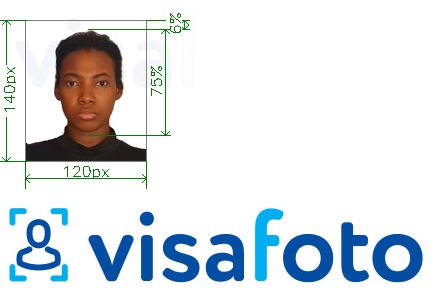
Visafoto provides 24/7 support and has a 99.7% photo acceptance rate. If an authority rejects a photo prepared by the service because of a technical photo-compliance issue, Visafoto offers a full refund.
How to Test a Nigerian Passport Photo Before Applying
The NIS passport photo checker lets applicants test a passport-size picture before starting or continuing the application. This checker is separate from the application form and is the safest place to confirm whether the current portal accepts the prepared file.
Upload the finished portrait to the test page and review the result. If the checker rejects it, correct the reported photo issue and test the new file again. Passing the preliminary check helps identify upload problems, but it does not approve the passport application itself.
Do not use a Nigerian visa-photo preset for this step. A visa application is a different service with its own photo workflow.
Photo Upload and Biometric Enrolment Are Separate Steps
Uploading an acceptable Nigerian passport portrait completes only the online photo part of the standard process. After submitting and paying for the application, the applicant books an appointment and appears at the chosen immigration office for biometric data capture.
The uploaded portrait, the automated photo check and biometric enrolment therefore serve different purposes:
- Portal upload: supplies the ICAO-compliant photo required in the application.
- Photo checker: tests the prepared file before it is submitted.
- Biometric enrolment: records the applicant's biometric data at the selected processing centre.
The NIS Service Level Agreement also documents a separate contactless biometric service for eligible Nigerians in the diaspora. It should not be assumed that every applicant can skip an in-person appointment; follow the route and instructions shown for your location in the current NIS service.
Where Can I Get Help with My Passport Photo?
If the NIS checker reports a problem with a photo prepared by Visafoto, contact Visafoto support. The support team is available 24/7 and can help correct technical photo issues before you submit the file again.
For application, appointment or biometric-enrolment questions, use the official NIS contact options.
Last updated: 18 September 2026