Japanese baby passport photo: requirements and how to take one at home
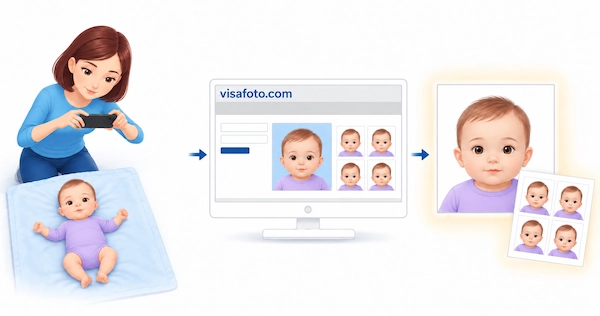
When applying for a passport for a minor in Japan, you must submit a compliant photo. You can take your baby's passport photo at home with your phone, choosing a moment when your child is comfortable instead of trying to fit a studio visit around feeds and naps.
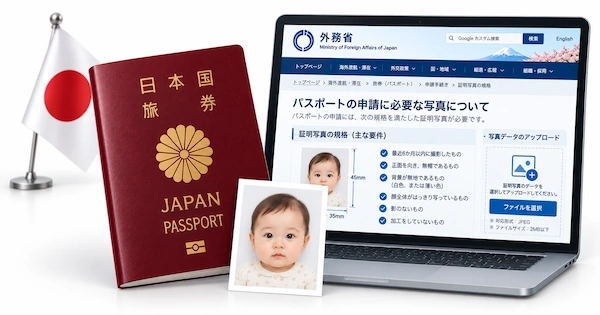
This guide explains Japan's baby passport photo requirements, how to photograph a newborn safely, and how Visafoto can prepare the result. It also covers printed photos and the different upload rules for online applications in Japan and abroad.
Table of contents
- Does a newborn need a Japanese passport and a separate photo?
- Japanese baby passport photo requirements
- Prepare your Japanese baby passport photo online with Visafoto!
- How to take a Japanese newborn passport photo at home
- How to photograph a baby who can sit or keeps moving
- How to choose the best photograph
- Printing or uploading your baby's passport photo
- What if your Japanese baby passport photo is rejected?
- Frequently asked questions
Does a newborn need a Japanese passport and a separate photo?
Yes. A Japanese child needs their own passport for international travel, even as a newborn. Children under 18 apply for a five-year passport. The photograph must show the baby alone, not a family portrait with a parent beside them.
These requirements concern a Japanese passport. If your baby holds another nationality and you are applying for that country's passport, follow its photo rules instead. Having the photograph taken in Japan does not make Japanese passport specifications apply to a foreign passport.
Japanese baby passport photo requirements
For a paper application, prepare a 35 × 45 mm portrait. For an online application, prepare an individual digital image for the system you will use. Both need a clear view of your baby's face.
Printed photo size and composition
- Printed size: 35 mm wide × 45 mm high
- Standard head height: 32–36 mm from chin to crown, subject to the round-face clarification below
- Space above the head: 2–6 mm
- Photo age: Taken within six months before the application
- Colour: Colour or black-and-white prints are accepted
- Background: Plain, without objects or shadows; white is recommended
- Position: Facing the camera, with the head centred and not tilted
- Face visibility: Facial features and the outline of the face must be clear
- Print quality: Borderless, sharp and without stains, creases or printing defects
- Standard paper application: One photograph
The measurements and paper-application checklist follow the Ministry of Foreign Affairs application guidance. For an application through an overseas mission, check its submission instructions as well.
The head size matters as much as the outside dimensions. A correctly sized print can still have a face that is too small or a crop that cuts into the head. Select the Japanese passport format rather than relying on a generic passport-photo setting.
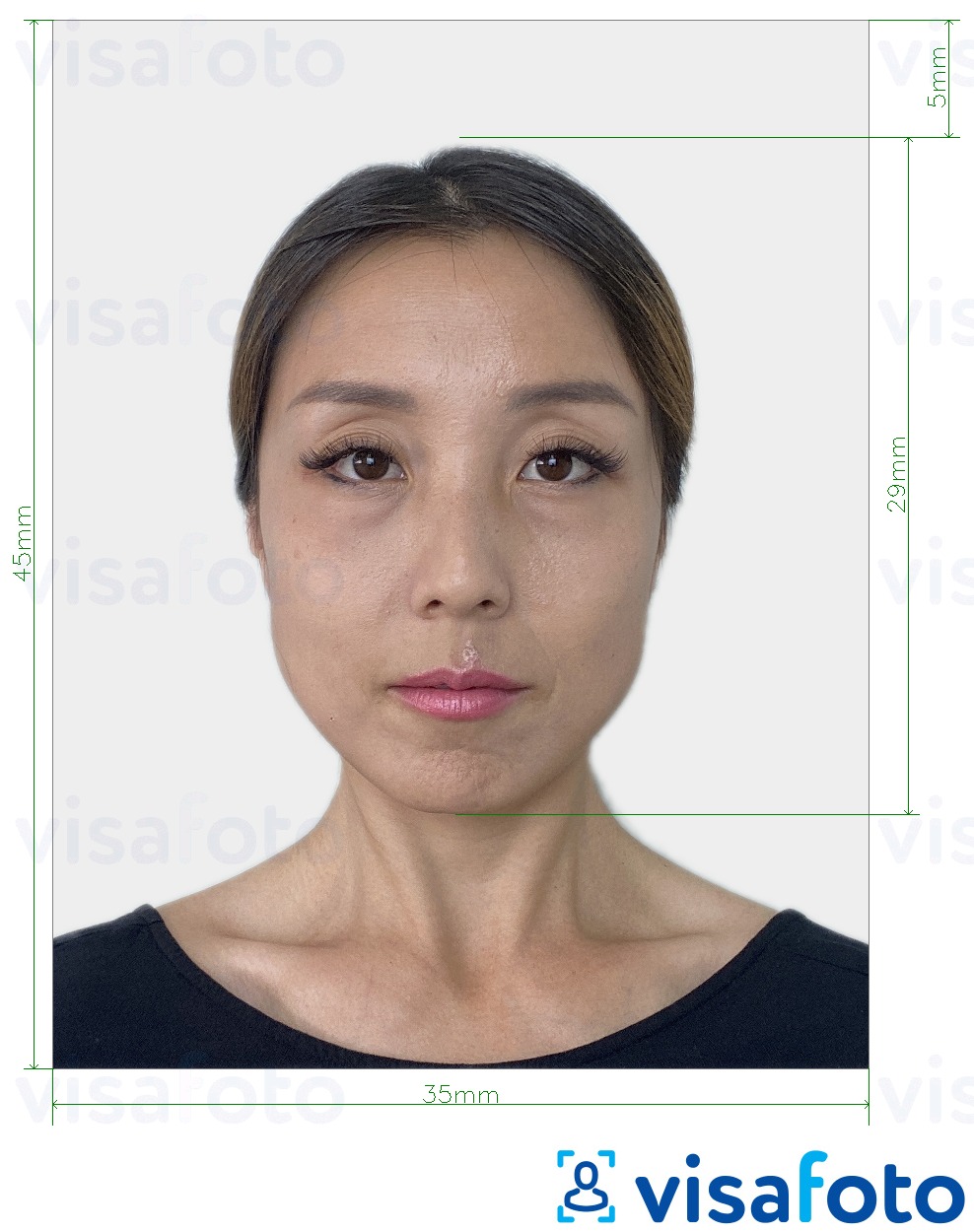
Japanese printed-photo format, illustrated with an adult portrait. The infant round-face clarification is explained below.
Do babies need their eyes open?
Yes. Japanese passport photo guidance for infants identifies closed eyes as unsuitable. Choose an awake moment rather than submitting a sleeping-baby portrait. Do not assume that another country's newborn exception applies in Japan.
Expression, parents' hands and objects
Aim for a calm expression. Keep pacifiers, toys and blankets away from the face, and make sure no part of a supporting adult appears in the finished portrait. Avoid hats or wide headbands that hide the head.
A big smile or crying face is not the best choice for identification. If your baby cannot keep their mouth completely closed, ask the passport office about the particular image rather than assuming that a slightly open mouth is always accepted or always rejected.
The head-size exception for round-faced babies
Kanagawa's official guidance addresses babies whose full face will not fit within the photo width even at the standard minimum head height of 32 mm. In that situation, it permits a head height below 32 mm so that the whole face, including the ears, fits.
This is a specific composition adjustment, not permission to use a loosely cropped portrait. Do not cut off the sides of the face just to reach 32 mm.
Digital photos: MynaPortal versus ORR Net
The online photo limits depend on the application route. MynaPortal is used for applications in Japan; ORR Net is the route for applications from abroad.
- MynaPortal: JPG; Up to 600 KB
- ORR Net: JPG, JPEG, BMP or PNG; 20 KB to 2 MB
These are the facial-photo upload rules in MOFA's online photo guidance, updated on 28 August 2026. The published guidance does not specify one universal pixel dimension for both routes. Follow the application's framing instructions rather than turning the printed measurements into an assumed digital size.
You can take a photograph during the online application or upload a prepared image. Keep the individual portrait separate from any printing template: a sheet containing several photographs is not the file to upload.
Prepare your Japanese baby passport photo online with Visafoto!
Visafoto helps you prepare a passport photo for a Japanese passport application from a picture taken at home. You can work around your baby's comfortable moments, then leave the sizing, crop and background to the service instead of trying to finish everything while keeping your child still.
Take the photo at home, when your baby is comfortable
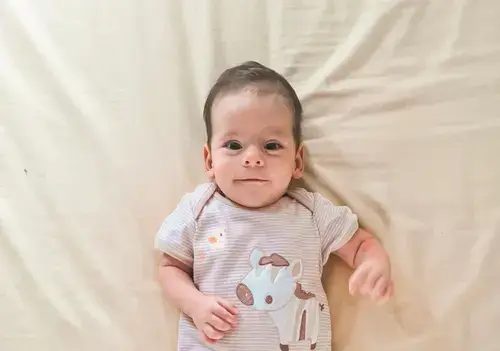
Use your phone or a camera and take several pictures in short sessions to catch a good moment. You do not need a perfectly white wall or a carefully arranged backdrop. Visafoto can replace the starting background, so you can concentrate on keeping the baby's face visible. Make a few pictures, settle your child, and compare the results when you have both hands free again.
Example of the photo you can upload to Visafoto:
Let Visafoto handle the technical preparation
Prepare the photo in these steps:
- Choose a clear photograph. Look for open eyes, an unobstructed face and enough space around the head.
- Select Japan and the document format. Choose Japan Passport 35 × 45 mm for a printed-photo application, or the Japanese online passport photo format for a digital submission.
- Upload the selected picture. Use the original image rather than a screenshot or a collage of several attempts.
- Review the prepared result. Visafoto adjusts the size, crop and head positioning for the selected format, and replaces the background.
- Download the version you need. The printed format provides an individual image and a printing template. The online format provides a digital portrait for uploading.
Visafoto can also improve lighting, contrast, clarity and resolution. It can correct uneven brightness across the face while preserving your baby's identifying features. You do not need to calculate the crop in millimetres or learn to use a separate photo editor.
For a paper application, print the template on the paper size specified in the download. You can put the finished photograph in the document folder before visiting the passport office. For an online application, use the individual portrait and check the preview in MynaPortal or ORR Net before submitting it.
The result after Visafoto editing:
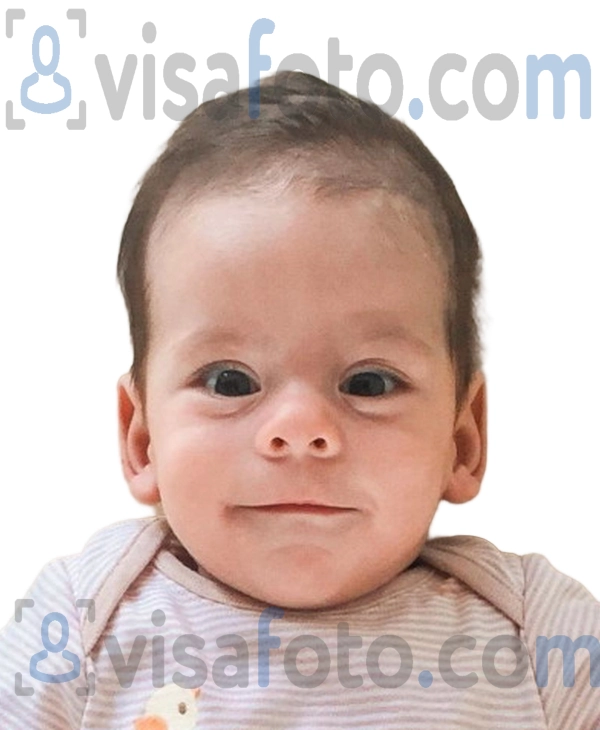
Illustrative baby portrait. Select Japan's document format to prepare your own photograph for the relevant application.
Support and refund protection
If you are unsure which image to choose or something in the result needs attention, contact Visafoto's 24/7 support at support@visafoto.com. Include your order details and explain the issue so support can help with the next step.
Visafoto reports a 99.7% overall photo acceptance rate; this is not a Japan-specific infant statistic. If an authority rejects a photo you purchased from Visafoto, you can request a 100% refund of the photo's purchase price.
How to take a Japanese newborn passport photo at home
Photograph a baby who cannot sit independently while they are lying down. Japanese baby passport photo rules allow this approach. It also makes it easier to keep an adult's hands out of the portrait.
- Choose a comfortable, awake moment. Feed or change your baby first if needed. Have your phone ready for a settled interval, rather than waking an exhausted child for the photograph.
- Clean the lens and use normal photo mode. Avoid beauty filters and portrait effects that can blur the outline of the face. A fingerprint on the lens can spoil an otherwise useful picture.
- Prepare a safe, firm, flat surface. A suitable floor-level surface avoids the risk of a fall from a raised bed or table. Keep loose fabric away from the baby's face and stay beside them.
- Photograph directly from above. Hold the phone securely, with the lens above the face. Check that you see the face head-on, rather than looking up from the feet towards the chin.
- Leave room around the head. Include the whole head and upper shoulders. If the forehead nearly touches the edge of the picture, move the camera back slightly.
- Clear the face and take a short series. Move clothing away from the chin, keep supporting hands out of view and tap the face on the screen to focus if your phone allows it.
- Pause when your baby needs you. Keep the pictures already taken. Another attempt can wait until your child is comfortable again.
A sheet can make the setup convenient, but it does not need to create a perfect white background when you plan to use Visafoto. The service can replace the background afterwards.
Never leave the baby unattended to find equipment or review the photographs, and do not force their head into position. For more ideas on working around feeds, movement and short attention spans, read our guide to taking a baby's passport photo without the stress.
How to photograph a baby who can sit or keeps moving
For a baby who can sit safely, bring the camera down to their eye level. You may need to kneel rather than photograph them from above. Check the screen before taking a series: both sides of the face should be visible, without a strong sideways turn.
Another adult can call your baby's name or hold a favourite toy beside the lens, outside the frame. Put the toy close to the camera, not high above your head, where it may encourage the baby to look upwards. A familiar voice may be enough; you do not need to make them laugh.
Take a few pictures when your baby looks towards you, then let them move again. If they cannot sit securely without support, return to the lying-down method. Getting a photograph is not a reason to prop them into an unstable position.
How to choose the best photograph
Choose the frame that clearly shows your child's face, even if another picture has a more memorable smile. Review the photographs after the session instead of trying to judge every shot while your baby is waiting.
Use this checklist:
- Eyes open and visible.
- Face directed towards the camera, without a marked turn or tilt.
- No pacifier, hand or blanket covering facial features.
- Clear detail around the eyes, nose and mouth.
- Enough room around the head for the required crop.
- A calm expression, without a broad grin or crying grimace.
Enlarge the promising photographs on your screen. A picture that looks sharp as a thumbnail may have motion blur around the eyes. Background and lighting adjustments are part of Visafoto's preparation; an eye hidden behind a hand needs a different source photograph.
Save the original at full quality. Screenshots and images sent through messaging apps may lose detail. Upload the selected file individually, and keep another good frame in case you need an alternative.
Printing or uploading your baby's passport photo
Prepare the version your application needs. Printing a digital-upload portrait or uploading a sheet of printed-photo copies can introduce unnecessary problems.
For a paper Japanese passport application
The standard paper application requires one photograph. Print the final portrait at 35 mm wide × 45 mm high on photographic paper, using the paper size specified for your Visafoto template. Do not assume that every printing template uses a 4 × 6-inch sheet.
Ask the printer not to enlarge, shrink or automatically crop the layout. Measure one finished portrait and check that the print is sharp and undamaged. Write your baby's name gently on the back, without leaving indentations or ink marks on the front, and keep it with the application documents.
Our Japan passport photo guide covers printing options in Japan. If applying abroad, follow the chosen Japanese mission's instructions for submitting the print.
For an online Japanese passport application
Download the individual digital portrait, not the printing template. Check its format and actual file size against the MynaPortal or ORR Net limits listed above. Review the face positioning in the application's preview before sending it.
Keep the original photograph, downloaded result and order details together. A folder named "Baby passport application" is easier to find than another image buried among hundreds of family pictures. Our Japanese online passport application guide explains the wider application process.
What if your baby passport photo is rejected?
Read the rejection or correction message before starting another photography session. A print at the wrong scale needs a different solution from a blurred source image or a face that is partly hidden.
For an online application, follow the correction instructions in the system. Check whether the office wants a replacement photograph, a different crop or another file. Keep the message so you can explain exactly what needs attention.
If the photograph was prepared with Visafoto, send support your order details and the rejection message. The issue may involve the source image, prepared file, printing settings or upload. You may be able to resolve it without photographing your baby again.
If an authority rejects a photo purchased from Visafoto, you can request a 100% refund of the photo's purchase price.
Frequently asked questions
Can I take my baby's photo for a passport with a phone?
Yes. Use a clear, full-quality photograph and prepare it for the appropriate printed or online format. A studio visit is not required simply because you are using a smartphone.
Can a newborn have closed eyes in a Japanese passport photo?
Japanese infant-photo guidance identifies closed eyes as unsuitable. Choose a photograph taken while your baby is awake, rather than relying on newborn exceptions published by other countries.
Can I hold my baby while taking the photograph?
You can support your baby safely, but no part of the helper should appear in the finished photo. For a newborn, photographing directly from above while they lie down is often more practical.
What if my baby's round face does not fit the standard head measurements?
Kanagawa's guidance allows the head height to fall below 32 mm if the full face cannot fit within the photo width at that height. Keep the whole face, including the ears, rather than cutting off its sides. Ask your application office if you are unsure about the crop.
Do I need a printed photo when applying through MynaPortal?
The online application uses a digital photograph instead of the standard paper-application print. Upload the individual portrait, not a sheet containing several copies, and follow any correction request from the passport office.
Can I use the same photograph for my baby's Japanese and foreign passports?
You may be able to use the same original photograph, but prepare a separate result for each country's document. Sizes, framing, infant-expression rules and upload limits can differ. Do not assume that a Japanese-format file also meets the other passport's requirements.
Once you have a clear, awake photograph, choose the Japanese printed passport format or the online passport format. Prepare the file or print, keep it with the application information, and leave yourself one less task to handle on the day you visit the passport office.
Last updated: 12 October 2026.