India Passport Photo Online
Where can you get a passport or visa photo in India? What are the basic Indian passport photo requirements, and how can you save time and money on your application? Visafoto has collected all the essential information for you.

Table of contents
- Indian passport photo requirements
- Requirements for an Indian visa digital photo
- Get an Indian passport photo online
- Printing out of an Indian passport photo
- FAQ
- Links
Indian passport photo requirements
Photo requirements depend on where you apply. Applicants using Passport Seva Kendras (PSKs) in India are usually photographed digitally during their appointment. However, printed photos are still required for many paper applications, OCI applications, and some overseas submissions through VFS Global or Indian missions.
Below is a summary of the main Indian passport photo specifications. For a complete guide, see this article.
- For paper applications, the standard Indian passport photo size is 35×45 mm (4.5×3.5 cm).
- For online Passport Seva submissions, the digital passport photo must be 630×810 pixels in JPEG format and under 250 KB.
- If you apply outside India, photo requirements may vary depending on the Indian embassy, consulate, or VFS Global centre. Many overseas locations accept the ICAO-standard 35×45 mm format, while some still request 2×2-inch (51×51 mm) photos. Always check the requirements for your specific application centre.
- The photo must be in colour and taken within the last six months.
- The background must be plain white or light-coloured, with no patterns, shadows, objects, or other people visible.
- Your face must be centred and photographed straight on. The head should occupy approximately 80–85% of the image, with the full head clearly visible from the top of the hair to the chin.
- Look directly at the camera with a neutral expression, closed mouth, and open eyes.
- The lighting must be even across both the face and background. Shadows, glare, red-eye effects, and overexposed areas are not acceptable.
- The image must be sharp and clear, without blur, pixelation, excessive retouching, filters, or editing artifacts.
- Head coverings are only permitted for religious reasons. They must not obscure any facial features, and the full face must remain visible from chin to forehead.
- Glasses are best removed. If they are worn for medical reasons, the lenses must be clear, without tint, reflections, or glare, and the eyes must remain fully visible.
- Children's passport photos generally follow the same rules as adult photos. For infants and young children, no toys, hands, feeding bottles, or other objects should be visible in the image.
- For paper applications, applicants are commonly asked to provide two printed photos: one attached to the application form and another retained for supporting documentation or administrative use.
Requirements for an Indian visa digital photo
Please note that most Indian e-Visa photo requirements are similar to passport photo requirements, except for the digital file specifications.
- The photo must be in JPEG format.
- The file size must be between 10 KB and 300 KB.
- The photo must be square, meaning its height and width must be equal.
- The minimum dimensions are 350 × 350 pixels.
- The maximum dimensions are 1,000 × 1,000 pixels.
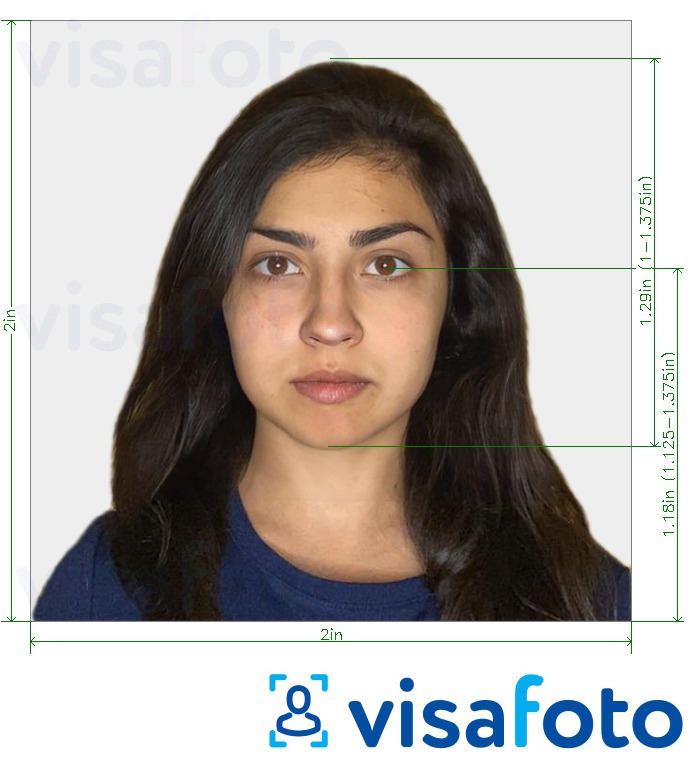
Get an Indian passport photo online
You can create a compliant Indian passport photo from home in just a few minutes. All you need is a smartphone camera or a digital photo you already have.
Visafoto automatically crops the image to the correct size, adjusts the background, checks head positioning, and prepares both digital and print-ready versions that meet Indian passport photo requirements. The service is suitable for passport applications, OCI cards, visa applications, and many other ID documents.
Every order also includes automatic photo enhancement. Within seconds, the system can improve lighting, optimize image quality and resolution, correct minor background issues, and create a more professional studio-like appearance. Even scanned photos can often be converted into a compliant passport photo if the face is clearly visible.
Visafoto provides a 100% money-back guarantee if your photo is rejected by the authorities. More than 500,000 photos have already been successfully accepted for passports, visas, and ID documents worldwide.
Source
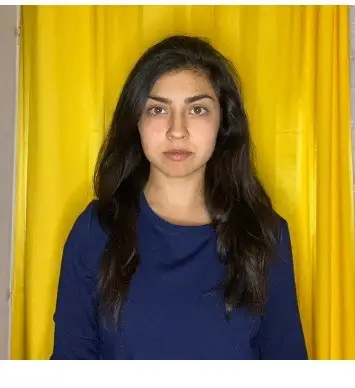
Result
Take a photo with your phone using natural lighting. You can ask someone to help, use a tripod, or place the phone on a stable surface. Look directly at the camera, keep your eyes open, maintain a neutral expression, and ensure that your entire face is clearly visible.
Here you can find detailed instructions on how to take a passport photo at home. These recommendations work for Indian passport photos as well as most visa and ID photo applications worldwide.
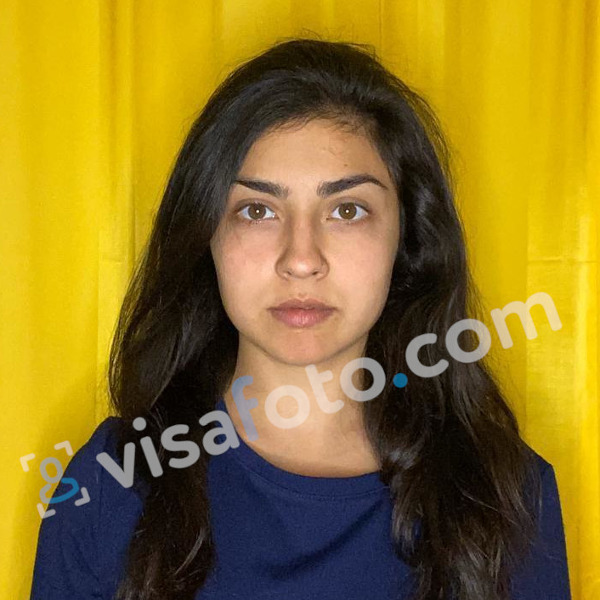
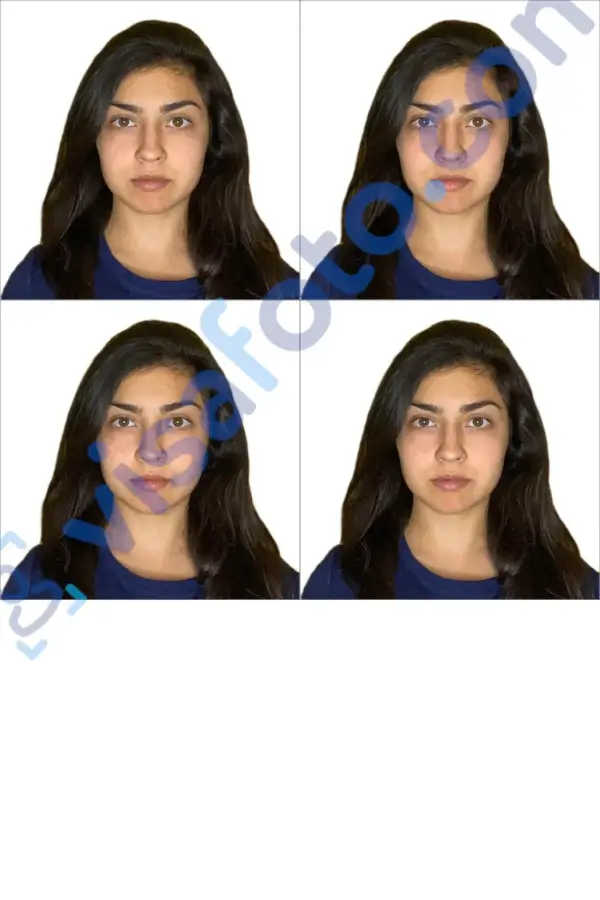
Upload your image to Visafoto, and the system will automatically create a compliant passport photo. You will receive a digital file suitable for online applications and a print template formatted for standard 10×15 cm (4×6") photo paper. The template contains multiple passport photos ready for printing at home or at a photo lab.
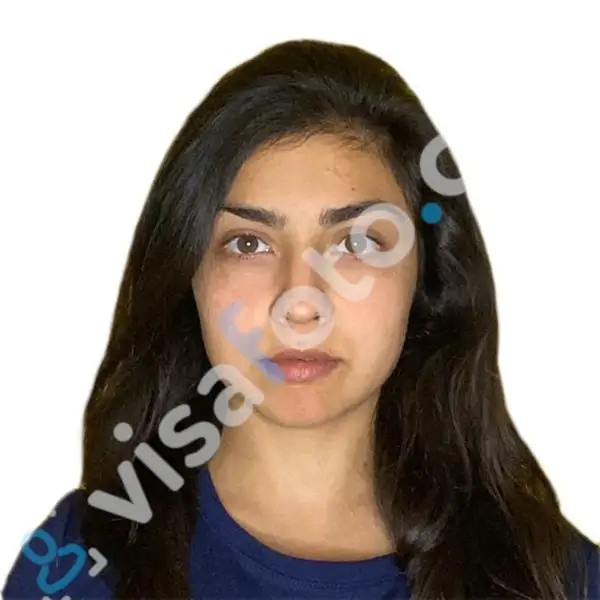
Printing an Indian passport photo
Visafoto provides a print-ready template that contains 4 individual passport photos on a standard 10×15 cm (4×6") layout. The file is designed for direct printing without any additional editing or resizing.
You can print the photo in several simple ways. The most common option is to visit any local photo lab, copy center, or print shop and bring the file on a USB flash drive or send it by email. Staff will print it for you using standard photo printing equipment.
If you prefer, you can also print the image at home using a color inkjet printer. For best results, use high-quality matte or glossy photo paper and select the highest print quality setting available on your printer. Make sure the image is printed at full size (10×15 cm) without scaling or cropping.
When printed correctly, the sheet will already contain four identical passport photos, so you only need to cut them out and attach them to your application as required.
To print your passport photo in the U.S., check this article.
FAQ
Do I need to submit printed photos for all types of applications?
No. If you apply at Passport Seva Kendra (PSK), your photo is usually taken digitally at the centre. Printed photos are mainly required for paper applications, some OCI applications, and certain overseas submissions.
Why do requirements differ between India and VFS centres abroad?
Different Indian embassies, consulates, and VFS Global centres may follow slightly different submission rules. While India primarily uses the 35×45 mm format, some overseas locations may still accept or request alternative formats depending on local guidelines.
Can I wear everyday accessories in my passport photo?
Small, non-obstructive accessories are generally acceptable if they do not cover facial features. However, anything that casts shadows, hides the eyes, or distorts facial recognition is not allowed.
What happens my passport photo is rejected?
If your passport or visa photo does not meet official requirements, your application may be delayed or rejected until a correct photo is submitted. In most cases, you will need to provide a new compliant image that fully meets the required standards.
If you ordered your photo through Visafoto and it was rejected by the authorities, you can contact our support team to request a full refund under our money-back guarantee policy.
Can I use a scanned photo for an Indian passport or visa application?
In most cases, standard scanned photos do not meet official requirements because they usually lose quality during scanning. Common issues include reduced sharpness, compression artifacts, uneven lighting, or incorrect background tones, which can lead to rejection.
However, you can still use a scanned image if the original face is clearly visible and the scan is of sufficiently high quality. To make it compliant, you can upload your scanned photo to Visafoto, where it will be automatically enhanced, resized, and adjusted according to official Indian passport and visa requirements.
After processing, the image is converted into a fully compliant photo with correct dimensions, background, and quality suitable for both online submission and printing.
Last update: June 2026
Links
- Voter ID Application for NRI (Non-Resident Indians)
- Indian Voter ID: How to Apply for an EPIC in 2026
- How To Renew An Indian Passport In The U.K.
- PAN Card Application In India: Ultimate Guideline
- Indian Passport Renewal in the UAE / Dubai: Where and How
- Indian Baby Passport How-To: documents and photo requirements
- OCI Card: How to apply
- Indian baby passport photo
- Indian Online Passport Application via Seva portal: Detailed Process
- Learn more about passport photos in India:
India passport photo and visa photo requirements - For an OCI passport, you will need a 2x2 inch (51x51 mm, 5.1x5.1 cm or 600x600 pixel) photo with on a white background with head height about 1.3 inch:
Get OCI passport photo 2x2 inches (600x600 pixels) - For a Seva passport, you will need a 35x45 mm (3.5x4.5 cm) photo with on a light grey background with head height about 34 mm:
Get passport Seva photo 35x45mm (3.5x4.5 cm) - For a PIO, a Birth Certificate and a PCC, you will need a 35x35 mm (3.5x3.5 cm) photo with on a light grey background with head height about 26 mm:
Get 35x35 mm photo (3.5x3.5 cm), needed for PIO, Birth Certificate, PCC, etc - For an India passport, you will need a 35x35 mm (3.5x3.5 cm) photo with on a light grey background with head height about 26 mm:
Get 35x35 mm passport photo for Indian embassies overseas - For an online form for a PAN card, you will need a 213x213 pixels photo with on a white background:
Get PAN card photo 213 by 213 pixels - For a PAN card, you will need a 25x35 mm, (2.5x3.5 cm) photo with on a light grey background with head height about 25 mm:
Get PAN card photo 2.5x3.5 cm - For a visa, you will need a 2x2 inch (51x51 mm, 5.1x5.1 cm or 600x600 pixel) photo with on a light grey background with head height about 1.3 inch:
Get India visa photo for online application 600x600 px (51x51 mm, 2x2 inches), up to 290 KB - For a VFS global visa, you will need a 190x190 pixel photo with on a light grey background:
Get India visa photo if you apply via VFS Global [190x190 pixels] - To register as a foreigner, you will need a 35x35 mm (3.5x3.5 cm) photo with on a light grey background with head height about 24 mm:
Get FFRO photo 35x35 mm with 50 KB limit (Foreigner registration) - Apply for an Indian passport online:
Official India passport online application - Apply for an Indian Passport Seva:
Passport Seva official website - Apply for an OCI passport online:
OCI registration (Overseas citizen of India) - Apply online for an India visa:
Official Indian visa online application - Apply online for a PAN card:
PAN card online application - Apply for a FFRO:
FFRO Official website - India visa photo detailed information
- Renew Indian passport in the US
- How to Apply for Police Clearance Certificate
- Cost of Passport in India: Detailed Fees in 2026
- Indian Passport Renewal in Canada: Application Details and Required Documents
- Indian Tatkaal Passport Guidelines
- UPSC Portal Guidelines: How to Pass Your Examination to Become a Civil Servant in India